
Quotation header footer image to generate quotations with images.
Catalyst provides a quotation header footer image system that generates quotes instantly and accurately for all wholesalers, retailers, and manufacturers. It allows you to add your branding images to your quotation footer page.it'll improve your sales growth and manage your business from anywhere on the Internet. A business quote is usually generated by all business-oriented companies to find out the accepted fixed price of an item you are going to sell to your customers. Some quotes cover the lower level of the quote, with and without multiple forms, with and without images, with or without line columns, with free download. . Catalystk free Quotation header footer image is integrated with Lifetime free GST billing software, free CRM software, ERP software, AMC or Rental software, Inventory software, Manufacturing software, Artificial Intelligence (AI), and 500+reports. It's fully free with all the options. Click the link to register for free.
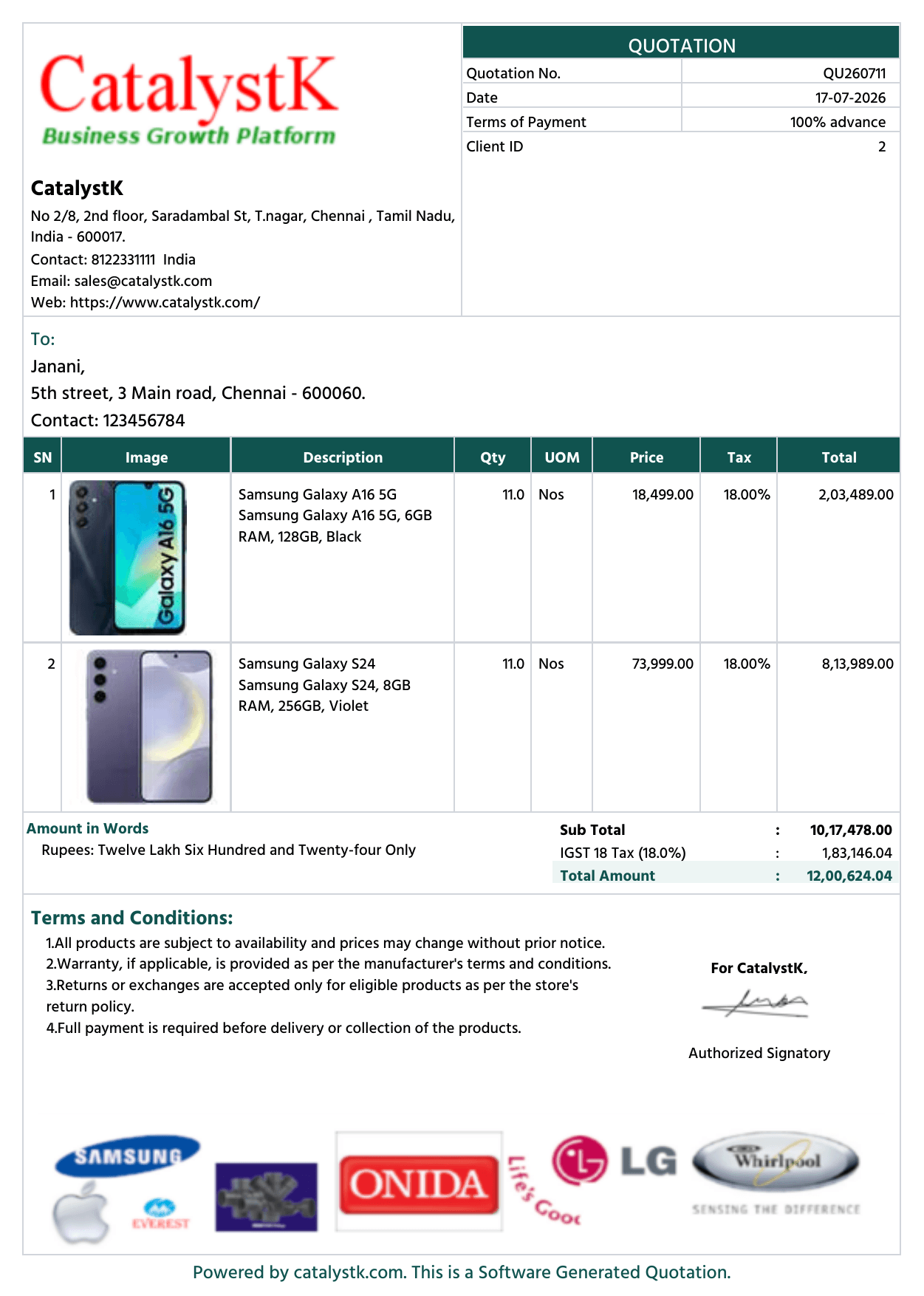
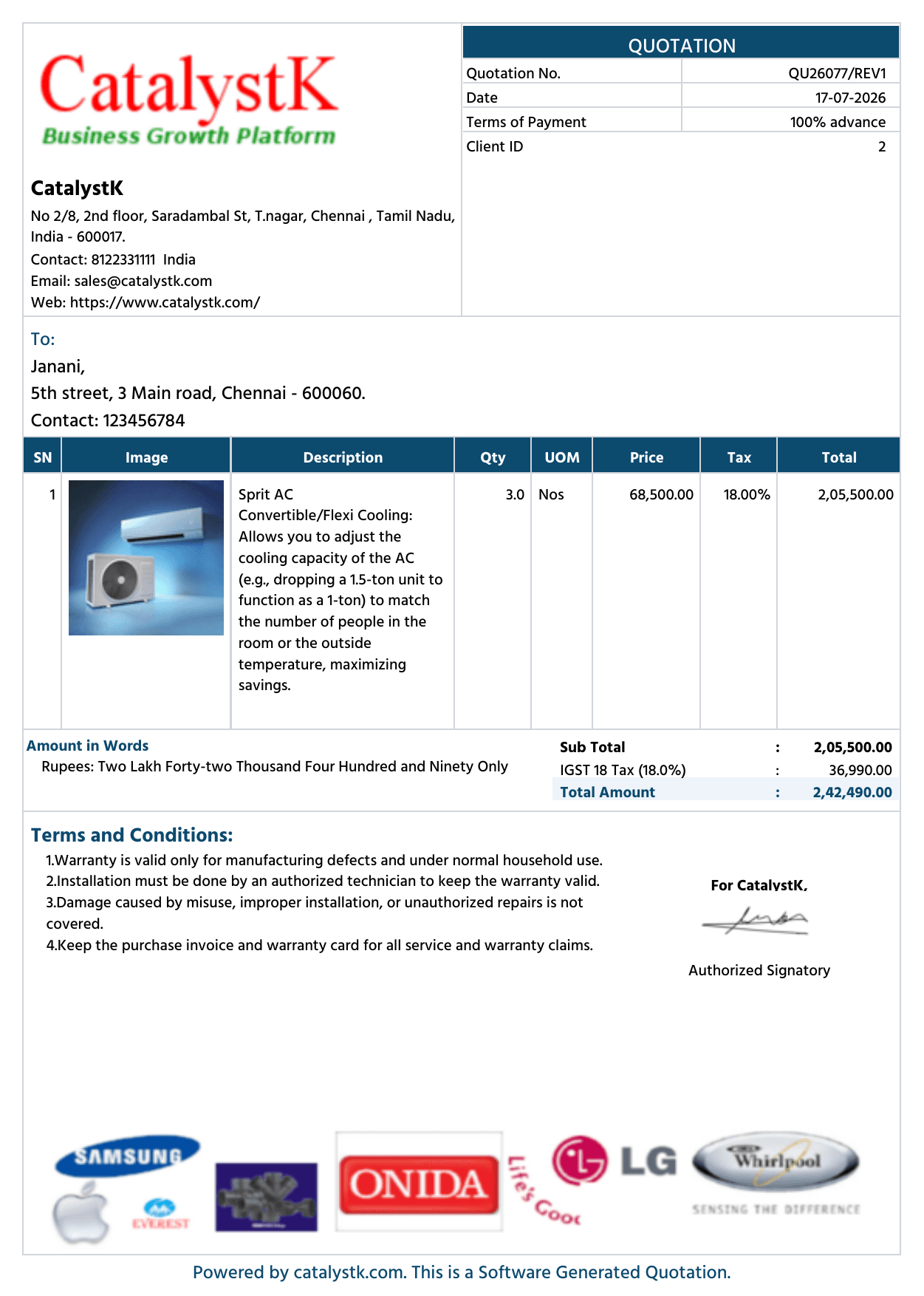
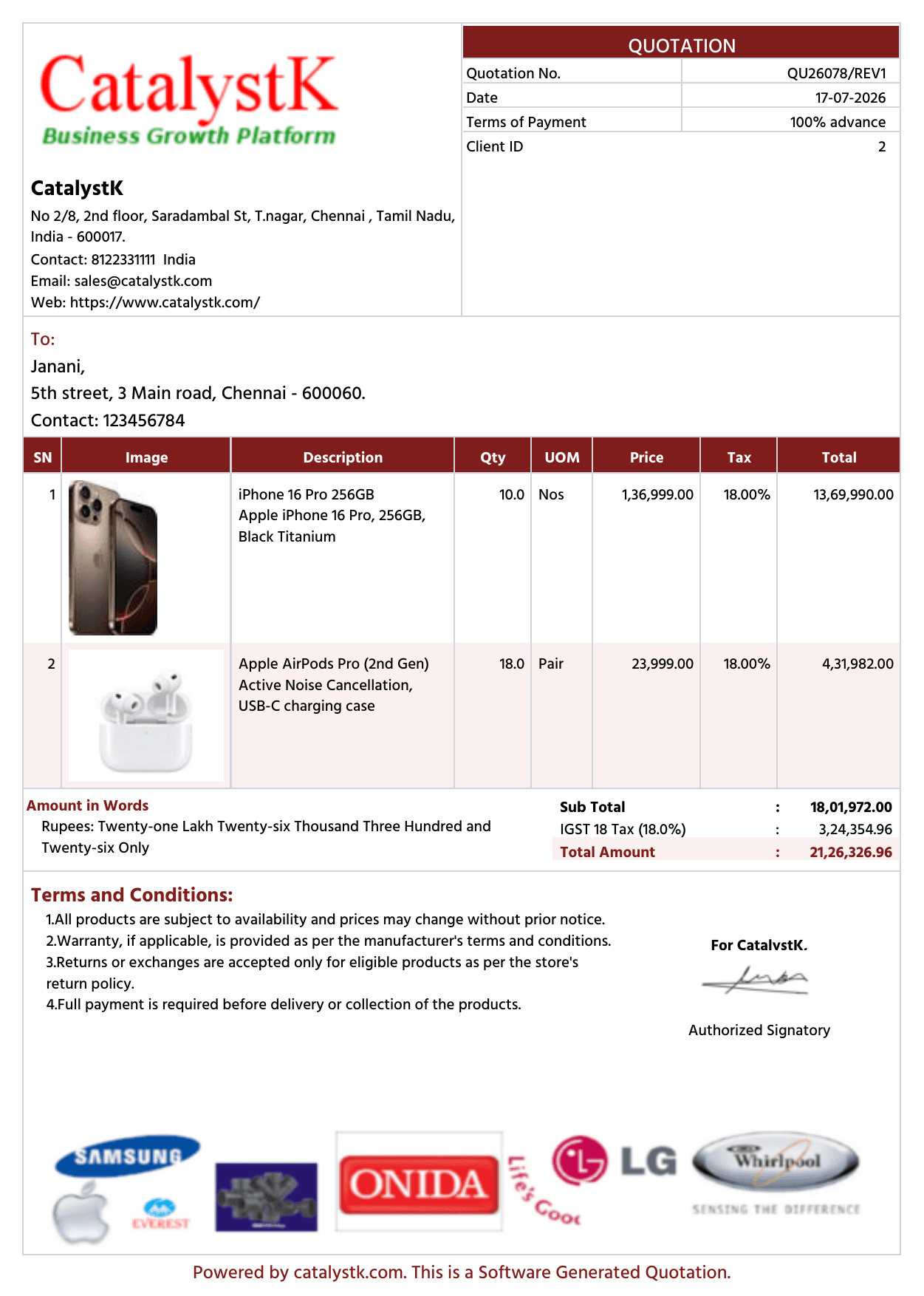
Quotation header and quotation footer:
Catalystk software allows you to create quotations with colorful header and footer images of the logo, brand, client details, etc
Steps to add header image, footer image, company logo and signature in quotation:
1. Open an existing quotation.
2. Scroll to the section Company Logo, Header Image, Footer & Signature.
3. Add the header image, footer image, company logo and signature.
4. Click Save. The images are automatically updated in the organisation setup.
Header Image steps :
1. Click the “Organisation” tab and scroll down to view the Header image (275*110).
2. Click "choose file" --> select your header image and click "upload".
3. Click on Print in the Quotations tab to see the changes.
Footer Image steps :
1. Click “Organisation” tab and scroll down to view the footer image (550*90).
2. Click "choose file" --> select your footer image and click "upload".
3. Click on Print in Quotations tab so see the changes.
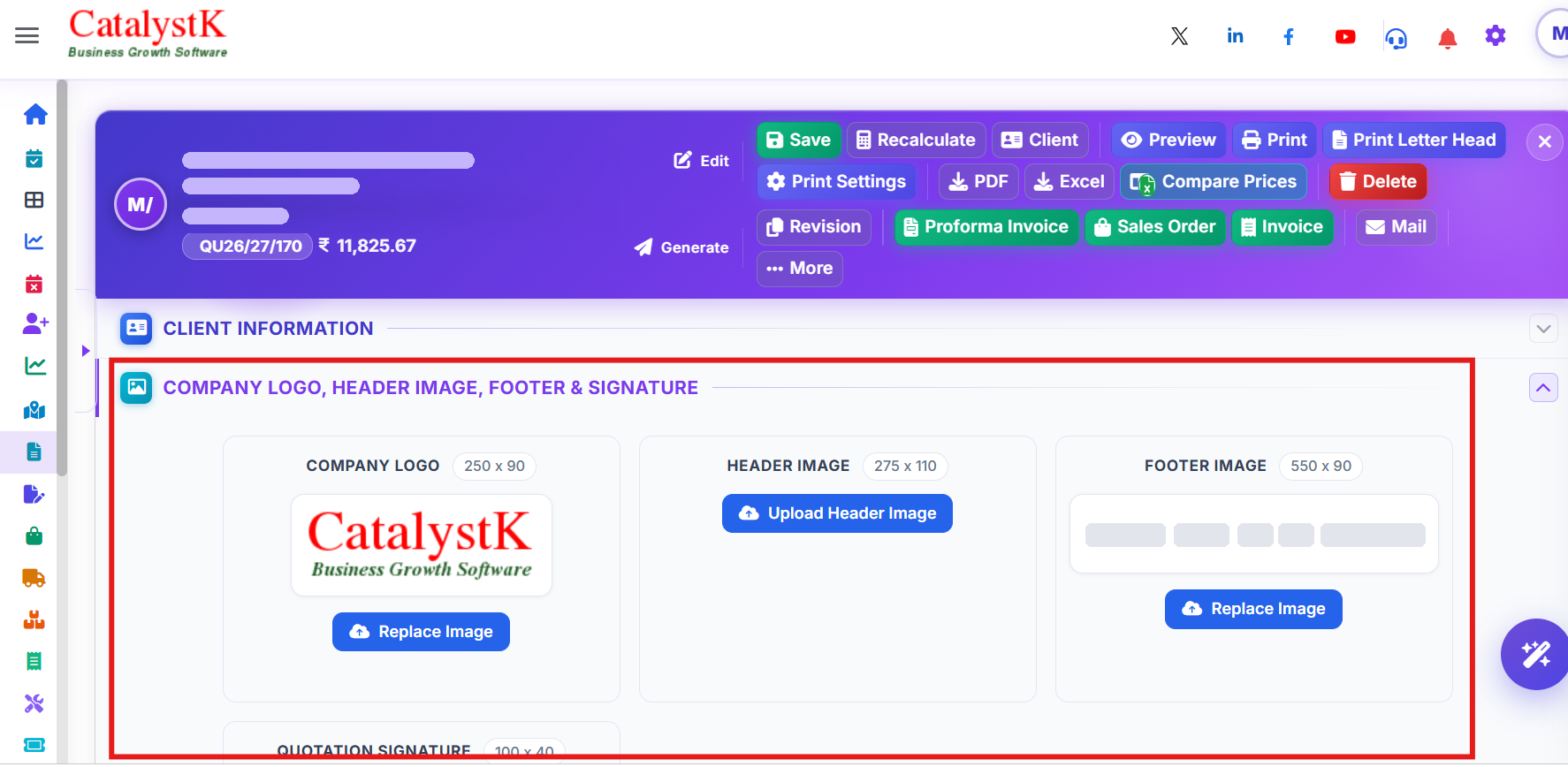
Catalystk software allows you to create quotations with colorful header and footer images of the logo, brand, client details, etc
Catalystk offers a simple quotation header footer image software for all small business-oriented companies. The quotation system is embedded with multiple unique features to create quotations with logo, brand images, product images, description, additional notes, subject, multiple terms and conditions, payment terms, print settings, etc. The free Quotation header software is integrated with other business growth tools that let you manage all functional activities of a business enterprise. It includes sales, purchase, manufacturing, finance, AMC, and so on. Additionally, the CRM module helps you to enhance your business with good customer follow-ups. you can generate more than 500+ reports.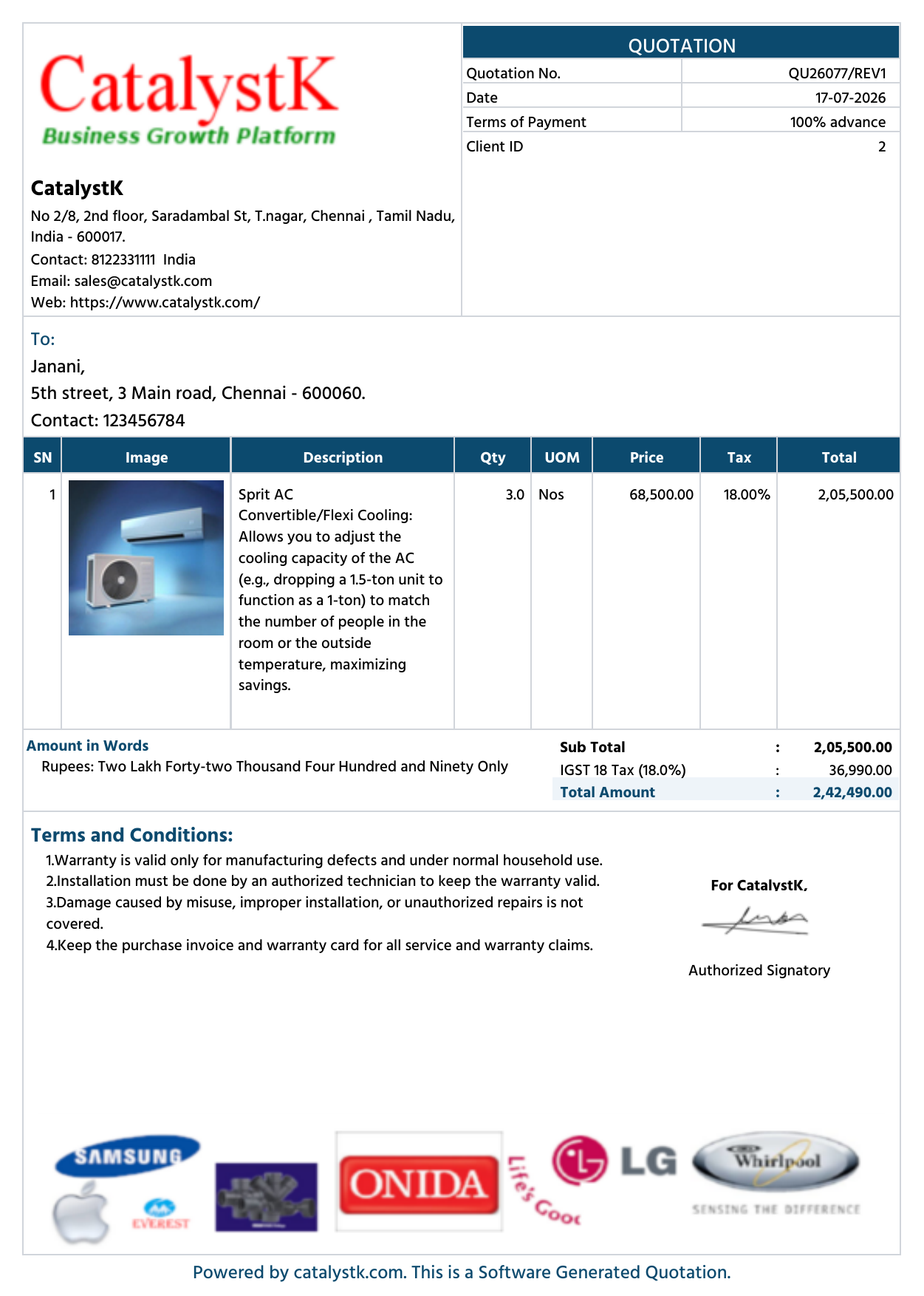
Quotation header footer image features:
- Quotation with images
- Quotation grouping products
- Revised Quotation
- Quotation without image
- Email Quotation
- SMS Quotation
- Quotation Follow-ups
- missed quotation follow-ups
- Proforma Invoice
- Sales Order
- DC
- Invoice
- Sales Projections
- Sales achievements
- Deals management
- Task management
- Leads management
- Return Received
- HSN Code
- GST Calculations
- Finance management
- General Ledger
- Client Ledger
- Supplier Ledger
- Pending Payments
- Balance Sheet
- Profit and Loss
- Sales management
- Procurement Management
- Purchase Enquiry
- Vendor Identification
- Purchase Order
- Goods Received Note
- Goods Return
- Purchase Invoice Verification
- Purchase Invoice
- Pending Purchase
- Sales Work Flow
- Manufacturing
- Bill of Materials
- MRP(Planning)
- Job Work / Job Order
- Work Order
- Manufacturing process
- Grouping
- Follow Up
- Excel Uploads
- Excel Download
- Automated Sales Order, Invoice mailing system
- Reports
Catalystk provides a header footer image quotation system, for generating quotations for all types of products like inventory, service, etc, and for which inventory can also be maintained with download options.
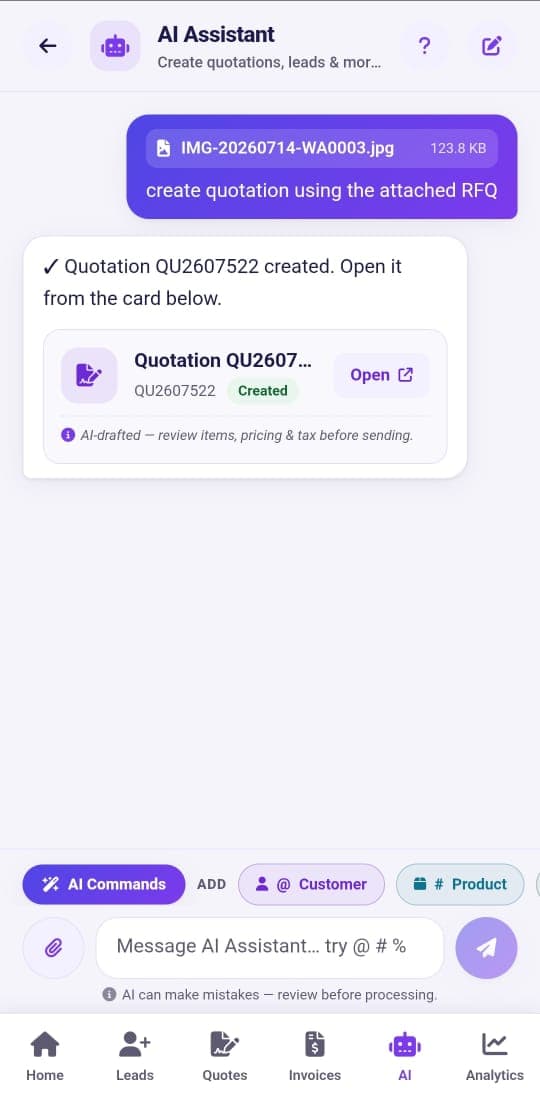
The system quotation header footer image helps all small businesses to create, follow, and maintain quotations with all custom options for free. You can create a quotation within minutes. It alerts you about quotation follow up and also intimates you about missed quotation follow-ups through mobile apps. All products based on their category can be entered in the inventory tab, service product tab, and raw material tab, for which quotations, proforma invoice, sales order, bill of material, material requirement planning, etc can be generated to maintain inventory and also create reports for all the materials used for the entire business. It serves as an all in one software which can maintain sales, purchase, manufacture, service, finance, etc.
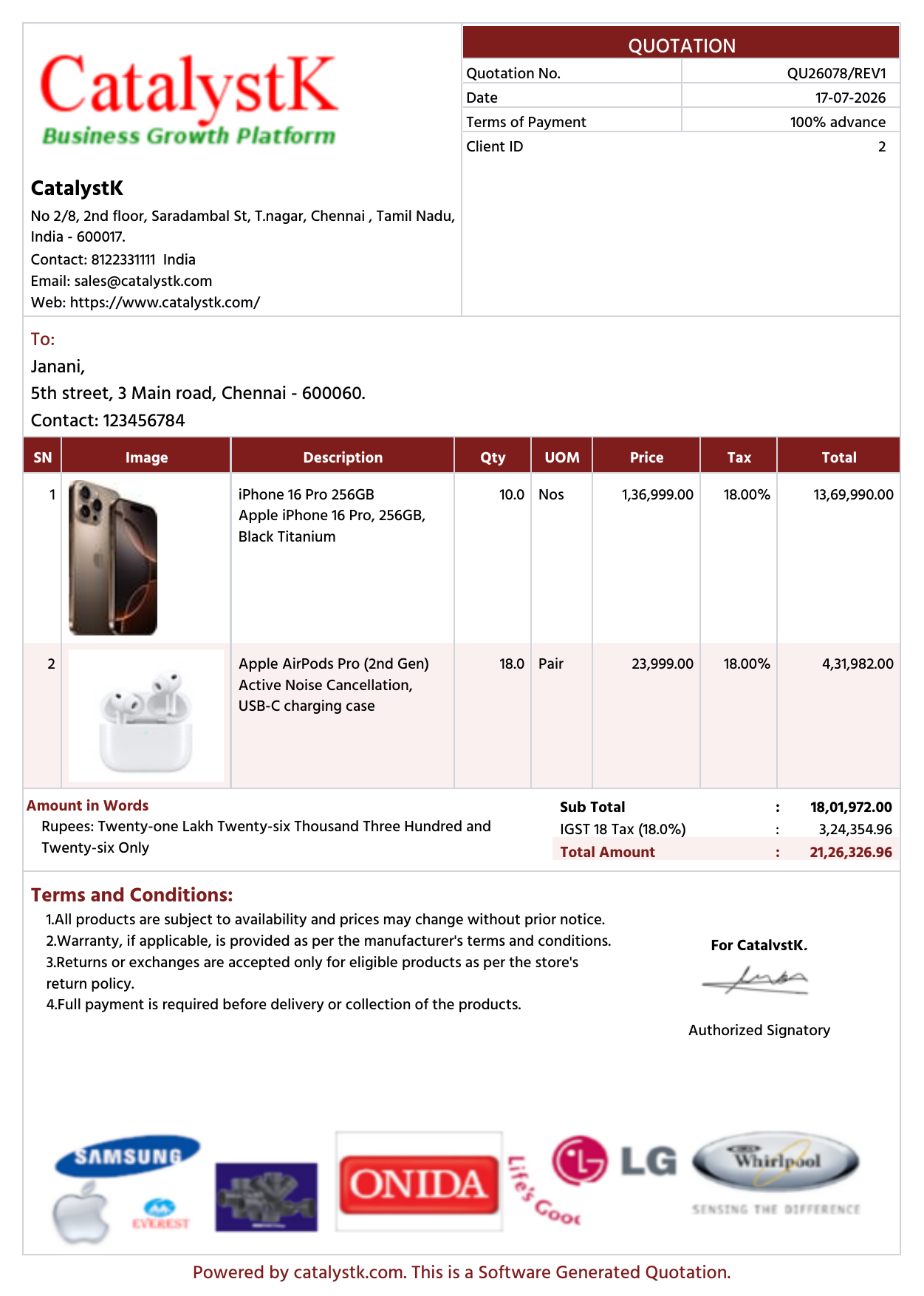
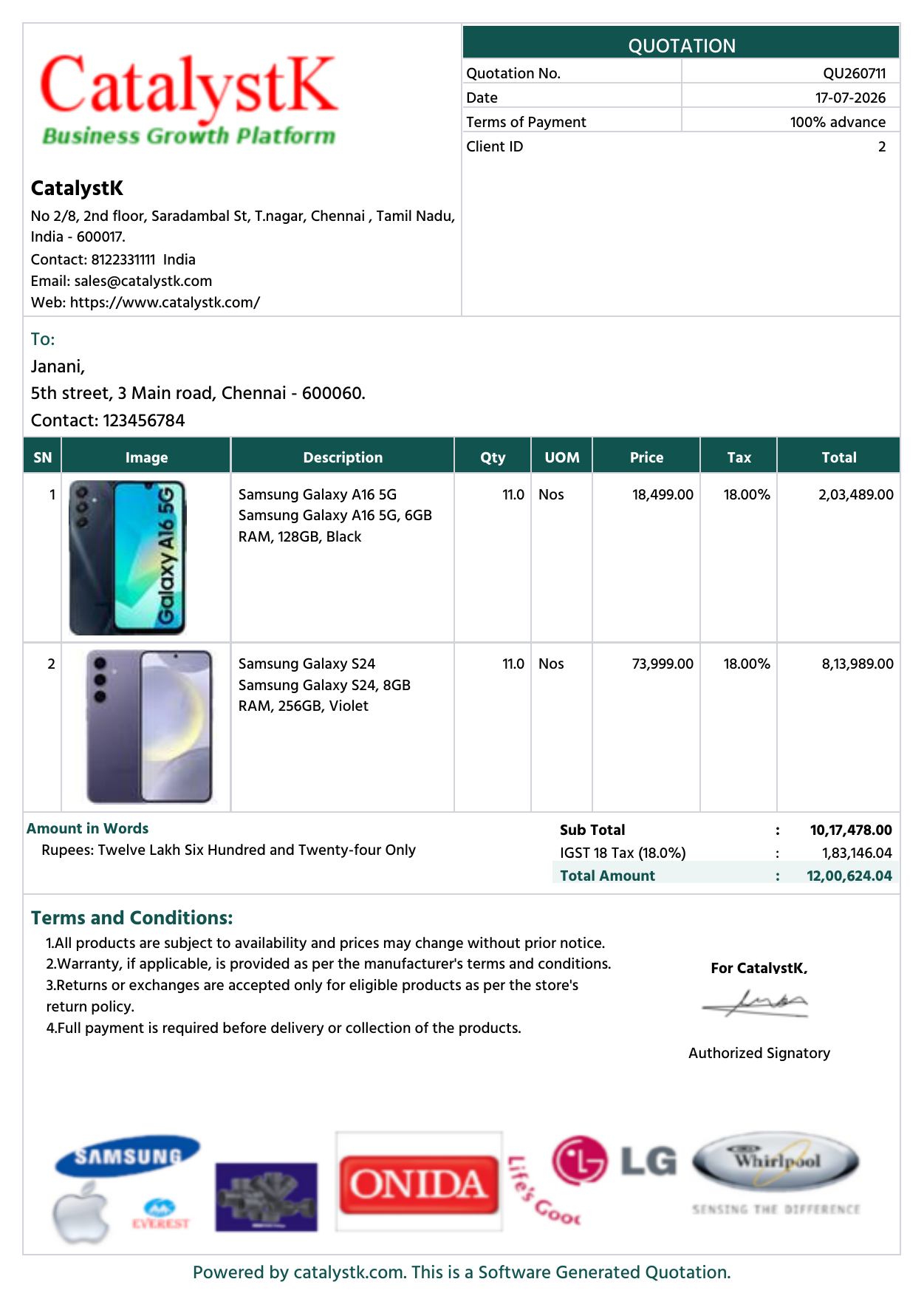
Quotation Header and Footer Image — FAQs
How do I add a header and footer image to a quotation?
Open a quotation, scroll to Company Logo, Header Image, Footer & Signature, add the header and footer images and click Save.
What size should the quotation header and footer images be?
Use 275 × 110 for the header image and 550 × 90 for the footer image.
Can I add my company logo and signature to the quotation?
Yes. Add your company logo and signature in the same section as the header and footer images.
Do I have to add the header and footer for every quotation?
No. The header and footer are saved at organisation level, so they are used in all the quotations generated by your users.
Is the quotation letterhead with header and footer free?
Yes. Header image, footer image, company logo and signature on quotations are free with all the options.