
Today Follow Up Software for Leads, Sales, Payment and Purchase Follow-ups
Today follow up in Catalystk is the home screen for your daily sales follow up, payment follow up and purchase follow up. Every list — leads, deals, tasks, sales visits, quotations, proforma invoices, sales orders, DC, invoices, purchase requests, purchase orders and GRN — has a follow up date, so nothing slips. Open Follow Up, pick a module card, call the client, add a comment in the card and set the next follow up reminder — all on one page.
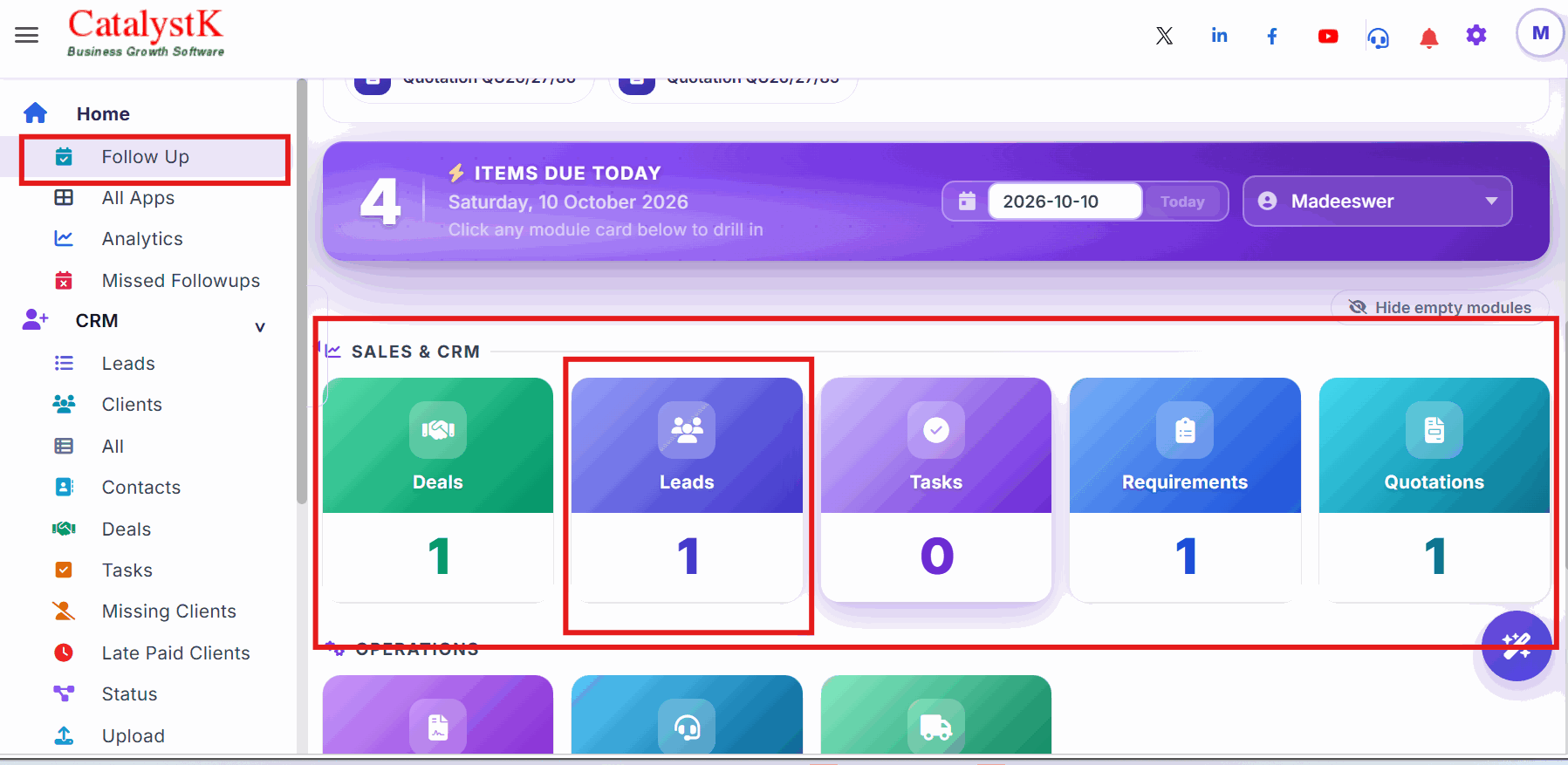
How to Follow Up Today's Leads, Deals, Quotations and Payments
Catalystk software allows follow up of Deals, Leads, Tasks, Quotations, Payment, etc. Follow up is the primary tool to improve sales and collection in any company. In order to follow up, we need reminders as we tend to forget because of the busy schedule. Catalystk CRM Software makes reminder notification of follow up in your mobile like facebook birthday wishes reminder. All you need to just click the call button on Mobile App and speak to the customer.
Steps to follow up today's items:
1. Click Follow Up in the side menu. It is your home screen.
2. The module cards show how many items are due today in each module — Deals, Leads, Tasks, Quotations and more.
3. Click a card. Its follow up items open on the same page.
4. Follow up with the client, add your comment in the card, set the next follow up date and time, and click Save.
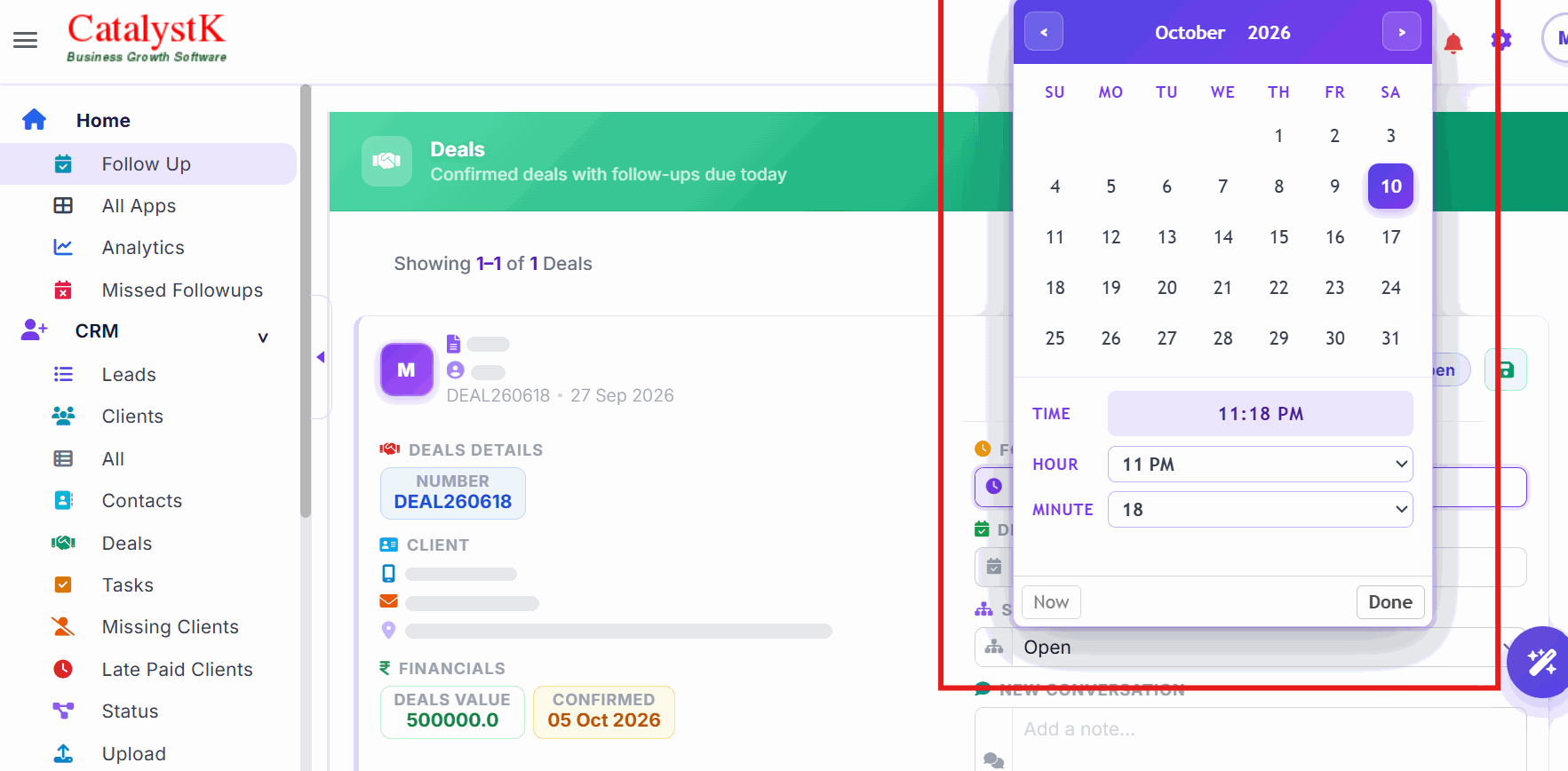
Set a Follow-up Reminder in Every List
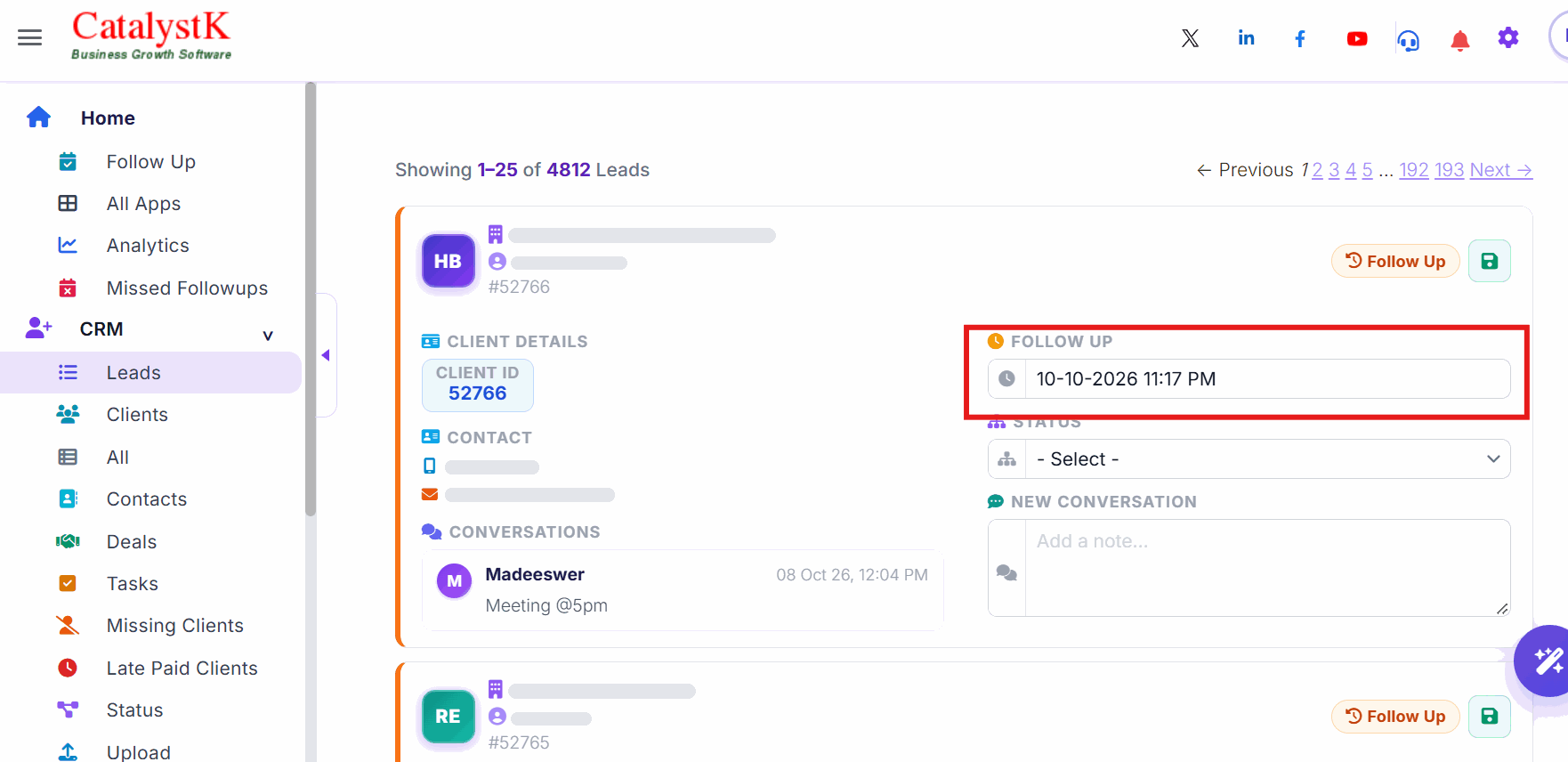
Follow up is a key feature to improve sales, collection and on-time purchase. The Follow Up box is in the list view of leads, deals, tasks, sales visits, quotations, proforma invoices, sales orders, DC, invoices, purchase requests, purchase orders and GRN.
Set the follow up date and time there, and the item appears in Today Follow Up on that day.
Benefits to following today follow ups:
Improves sales by 15%,
Improves collection by 50%
Makes life easy for sales and collection executives
Steps to create today follow ups:
1. Click the “Home” tab and "Today_Follow_Ups" tab.
2. Click on the Corresponding column like Deals, Leads, Tasks to know corresponding follow-ups.
3. Call Customer ---> Speak ---> Update corresponding record with conversation ---> next Follow up time and "save".
NOTE: For any clarifications Kindly contact the support team.
Today Follow Up — Frequently Asked Questions
What is today follow up in Catalystk?
Today follow up is the home screen of Catalystk. Click Follow Up in the side menu to see every item due for follow up today — deals, leads, tasks, quotations and more — grouped in module cards with the count for each module.
Which modules have a follow up option?
The follow up box is in the list view of leads, deals, tasks, sales visits, quotations, proforma invoices, sales orders, DC, invoices, purchase requests, purchase orders and GRN — so you can follow up sales, payments and purchases from one place.
How do I set a follow up reminder?
Open the list view of any of these modules and enter the follow up date and time in the Follow Up box of the record. The item then appears in Today Follow Up on that day.
How do I update a follow up after calling the client?
In Today Follow Up, click the module card, follow up with the client, add your comment in the card, set the next follow up date and time, and click Save.
Does Catalystk send follow up reminders on mobile?
Yes. Catalystk CRM Software sends a reminder notification of the follow up to your mobile. Click the call button on the Mobile App and speak to the customer.
Is the today follow up feature free?
Yes. Today follow up is part of Catalystk, which is free forever with every module included — on web and mobile, with no credit card.