
100% Free Quotation Format in Excel
Get a professional GST quotation format in Excel — 100% free. Catalystk auto-generates a ready-to-send Excel quotation with the right columns, formulas and GST built in, lets you compare prices in Excel, and downloads as XLSX in one click — no manual template needed. Or generate a quotation in 10 seconds from an RFQ. It runs entirely online, on web and mobile.
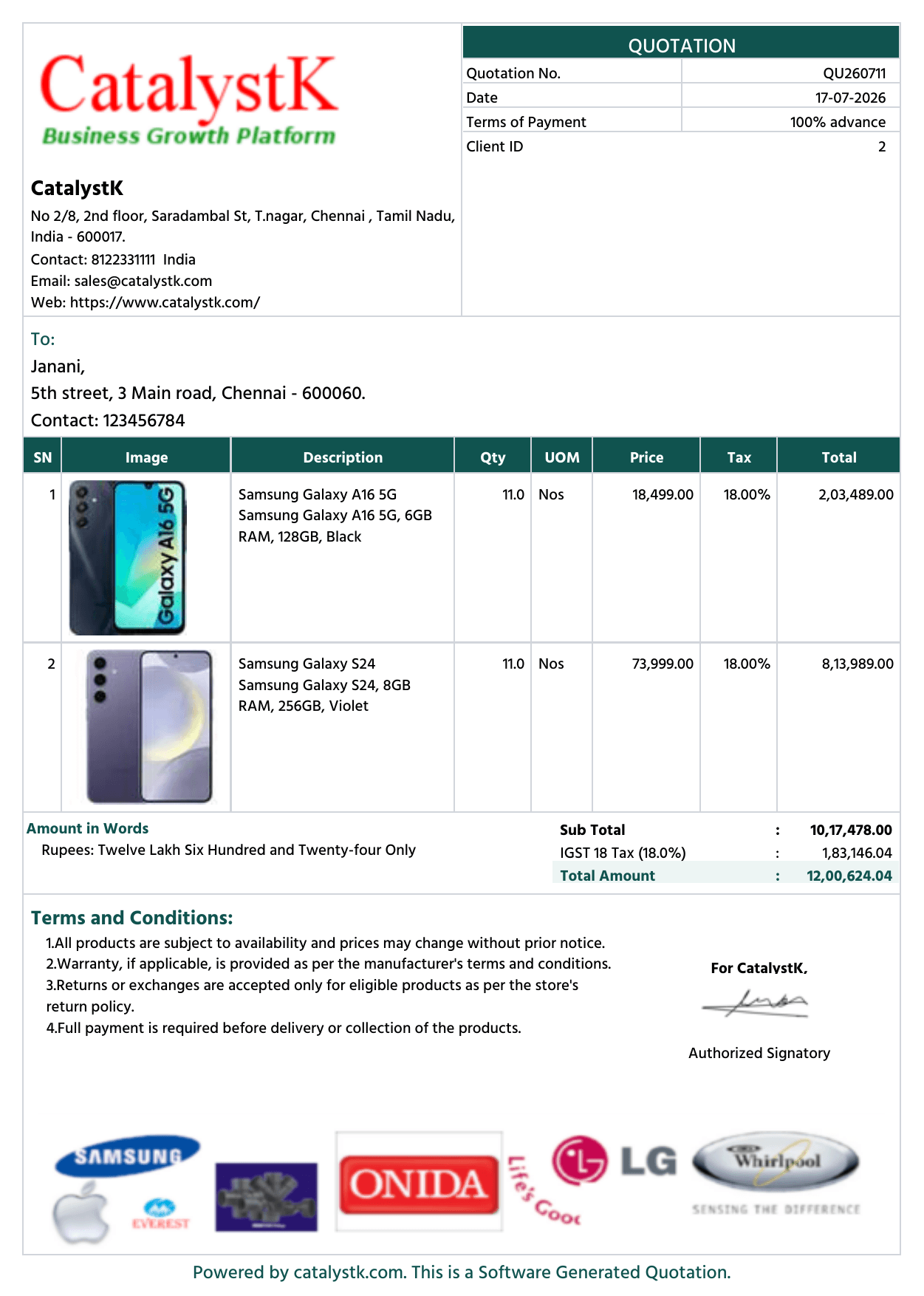
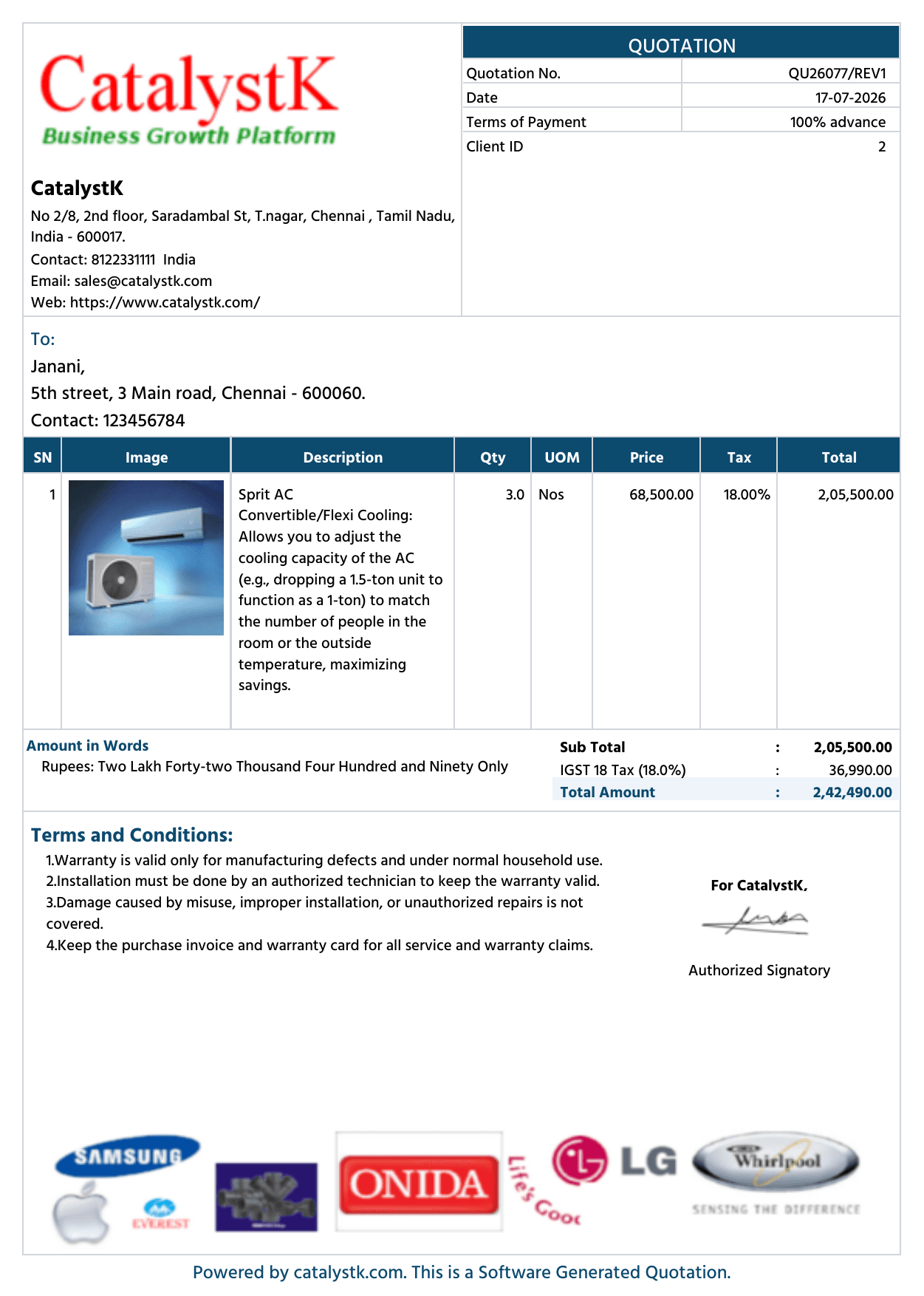
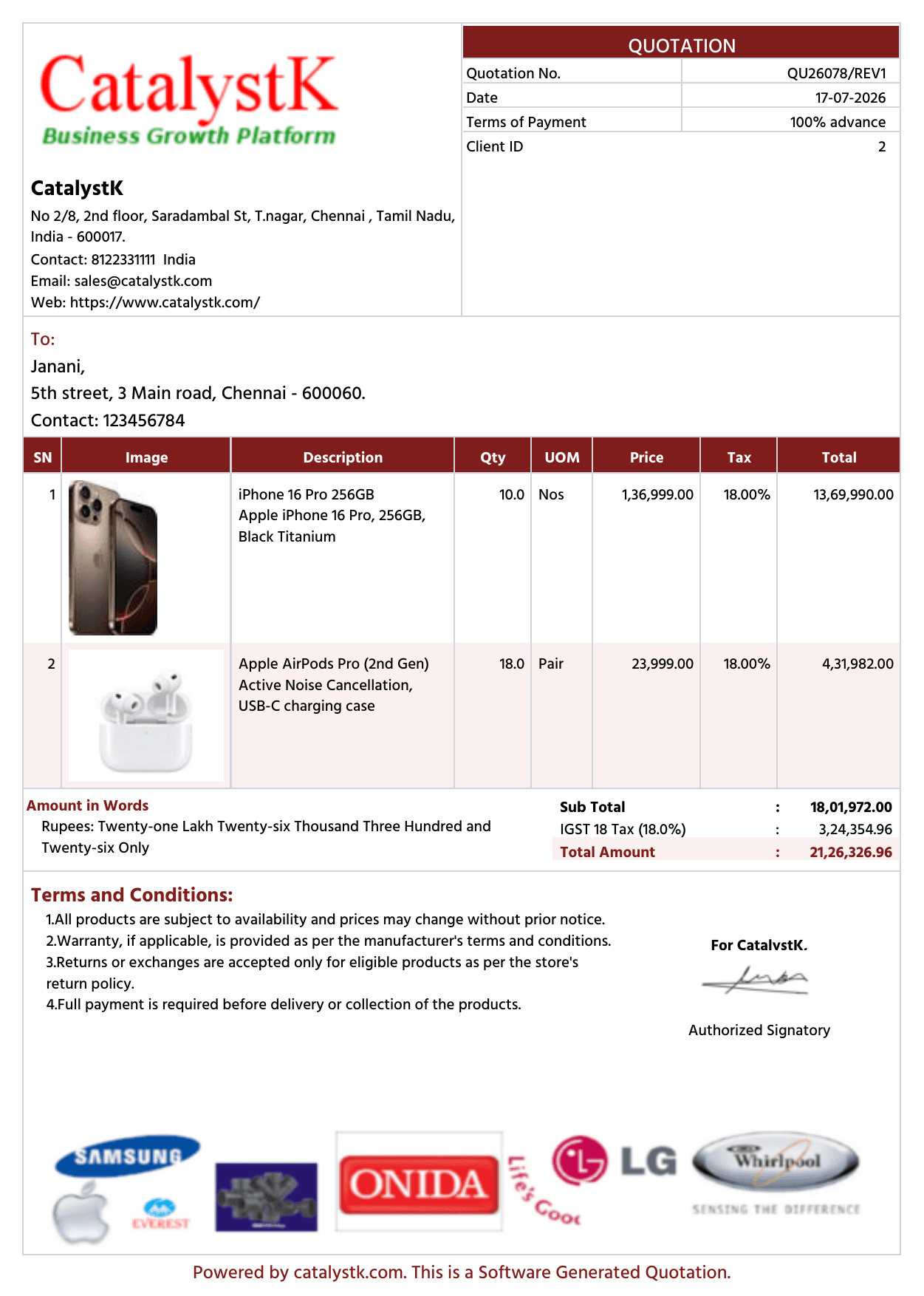
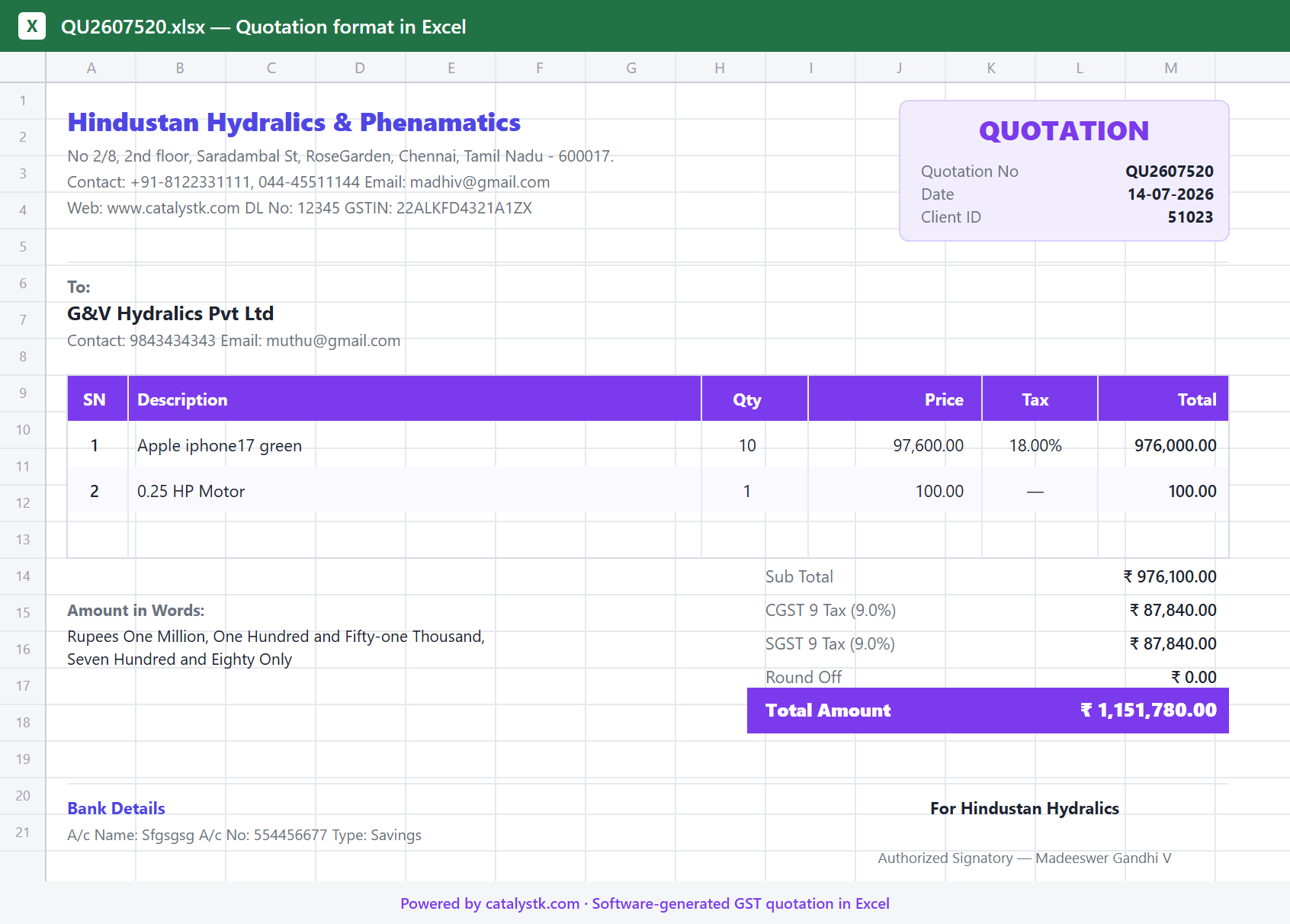
3 of 30+ quotation templates · multiple colour themes
Key features of Quotation Format in Excel
Excel quotation generation
Auto-generate a professional quotation in Excel — no manual template, formulas or formatting to fix.
One-click Excel download
Download any quotation as a ready-to-edit Excel (XLSX) file, fully formatted and totalled.
Excel-based price comparison
Export a quotation with multiple price lists side by side in Excel to compare and pick the best price.
GST quotation format
Every quotation includes GST — per-line tax, HSN/SAC, CGST/SGST/IGST and a tax summary.
Built-in formulas & totals
Quantity × rate, discounts, taxes and grand totals calculate automatically — no broken Excel formulas.
Quote in 10 seconds from an RFQ
Drop in an RFQ (PDF, Excel or image) and AI builds the quotation instantly — a market first.
Professional templates & branding
Branded, print-ready layouts with your logo and letterhead — beyond a plain Excel sheet.
Excel or PDF, your choice
Download the same quotation as Excel or PDF, or email it to the customer directly.
Multi-currency
Create the quotation format in any currency with a live conversion rate.
Quotation format in Excel vs quotation format in PDF
Excel is best for editing, formulas and price comparison; PDF is best for sending and records. Catalystk generates your quotation in both formats — free.
| Capability | Quotation format in ExcelCatalystk · 100% free | Quotation format in PDF |
|---|---|---|
| Editable & reusable after export | ||
| Live formulas (qty × rate, tax, totals) | ||
| Price comparison, multiple lists side by side | ||
| Fixed layout, tamper-resistant | ||
| Best for print & official records | Good | Best |
| Branded, professional layout | ||
| GST tax breakdown (HSN/SAC, CGST/SGST/IGST) | ||
| Email to customer in one click | ||
| Generated free by Catalystk |
Quotation Format in Excel — frequently asked questions
How do I make a quotation format in Excel?
You can build one manually with columns for item, quantity, rate, discount, GST and total — or let Catalystk generate a professional GST quotation in Excel automatically and download it as XLSX, free.
Is the Excel quotation format free to download?
Yes. Catalystk generates and downloads the quotation format in Excel 100% free — no template to buy and no credit card.
Does the Excel quotation format include GST?
Yes. It includes per-line tax, HSN/SAC and a CGST/SGST/IGST tax summary, so your Excel quotation is fully GST-compliant.
Can I compare prices in Excel?
Yes. Export a quotation with multiple price lists side by side in Excel to compare product or vendor prices and pick the best.
Can I also get the quotation as a PDF?
Yes. The same quotation downloads as Excel or PDF, and can be printed on your letterhead or emailed to the customer.
Related products
Ready to run your business on one platform?
Join thousands of growing businesses using Catalystk. Set up in minutes — free forever, no credit card required.