The first generator with unlimited quotations — no registration
Free Online Quotation Generator & Quotation Maker
Catalystk’s free online quotation generator is a quotation maker, a free online quote generator and a quoting tool in one — create unlimited quotations with your logo and product images, set GST, VAT or any local tax, and download each quote as a PDF in seconds. Quotation generator, quote generator or quoting generator — it is the same free tool, online and unlimited, with no sign-up, no login and no credit card.
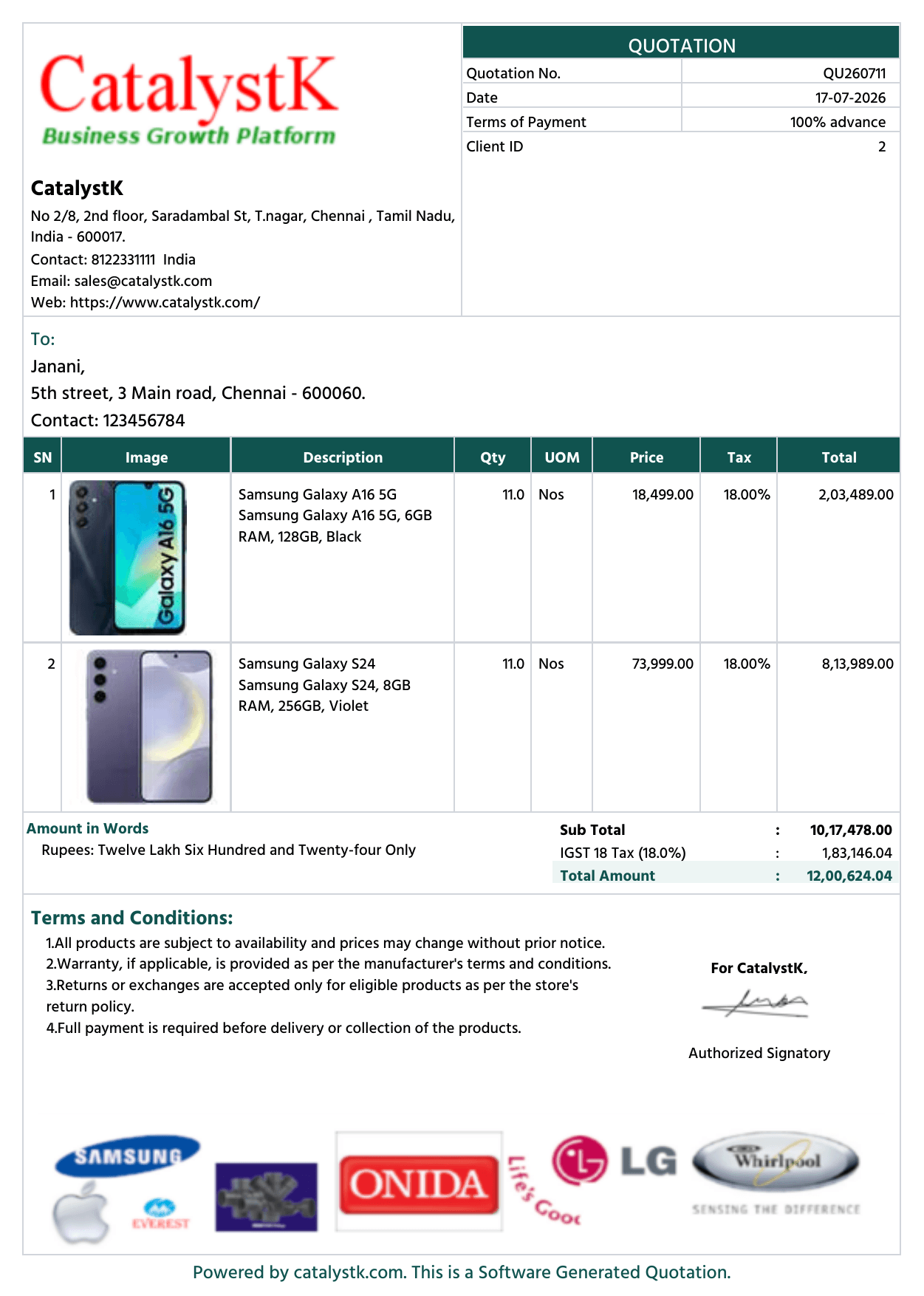
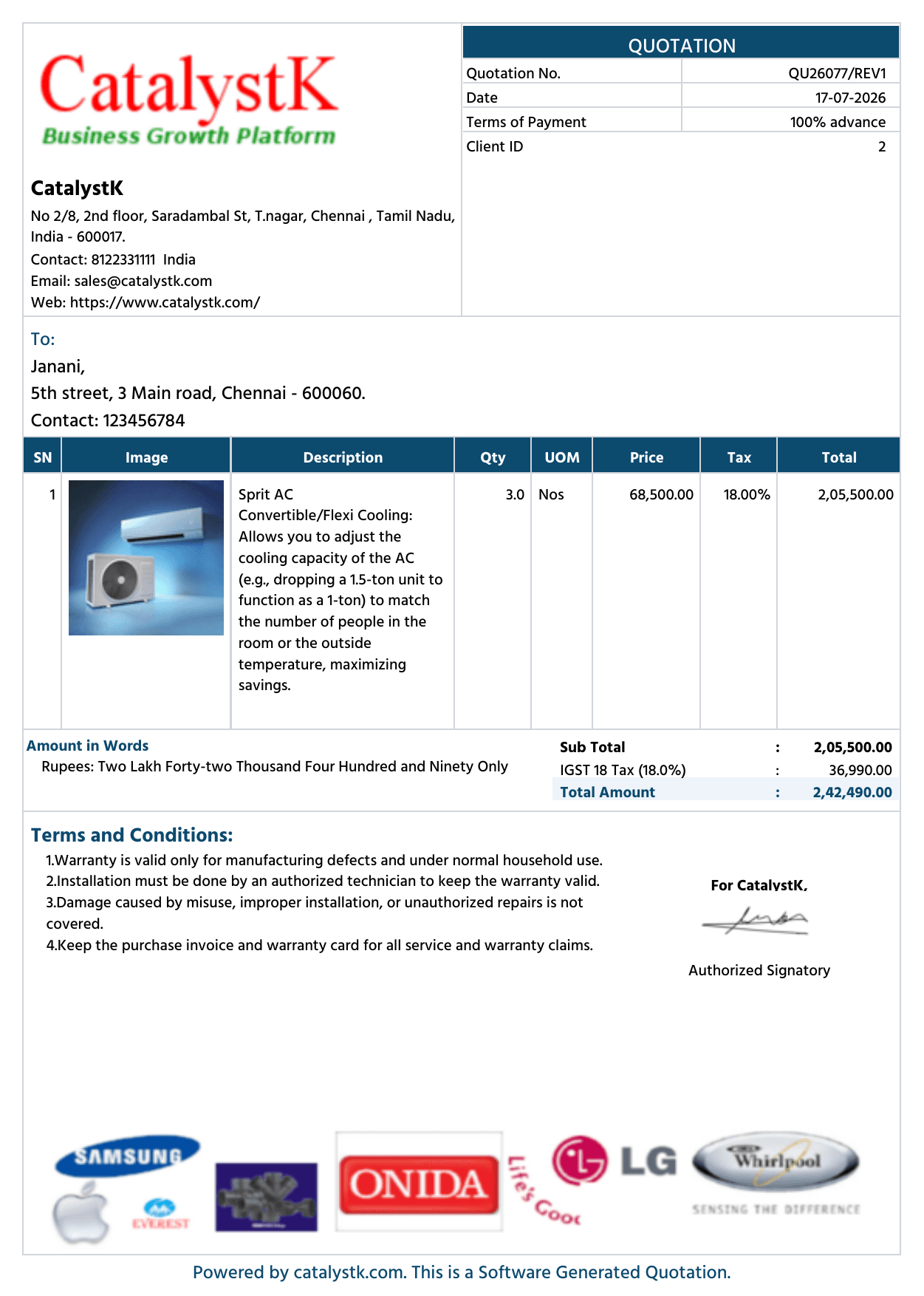
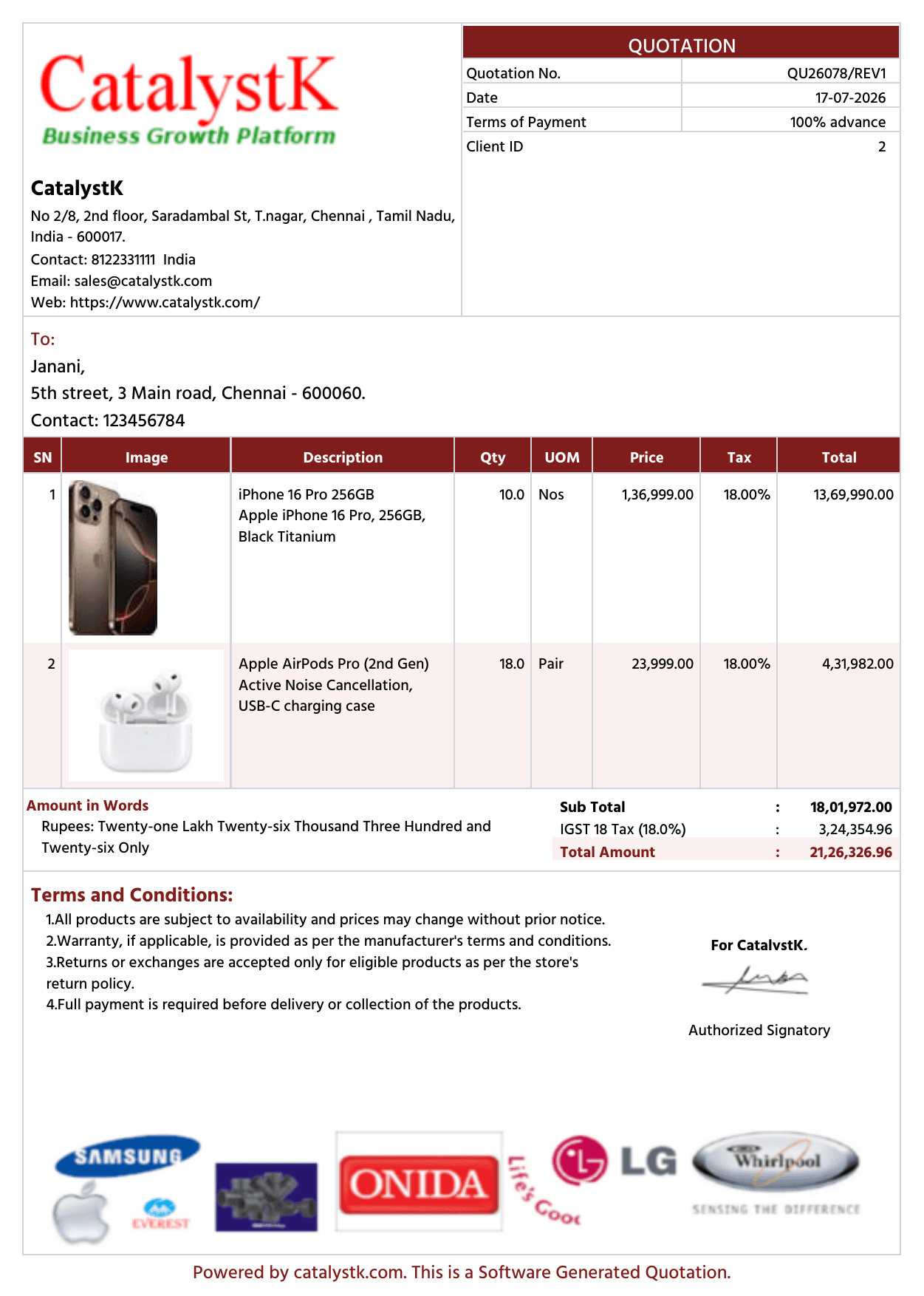
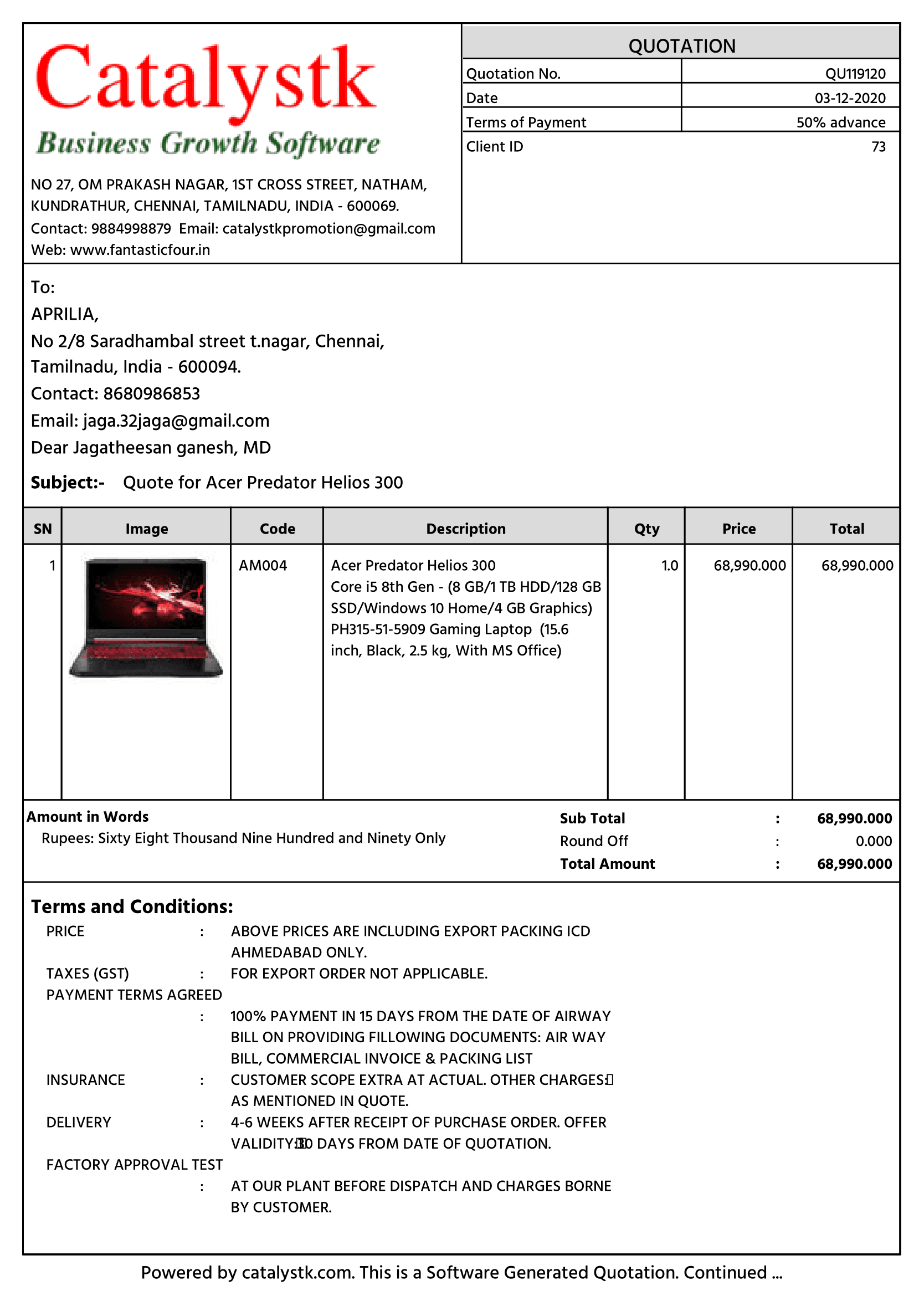
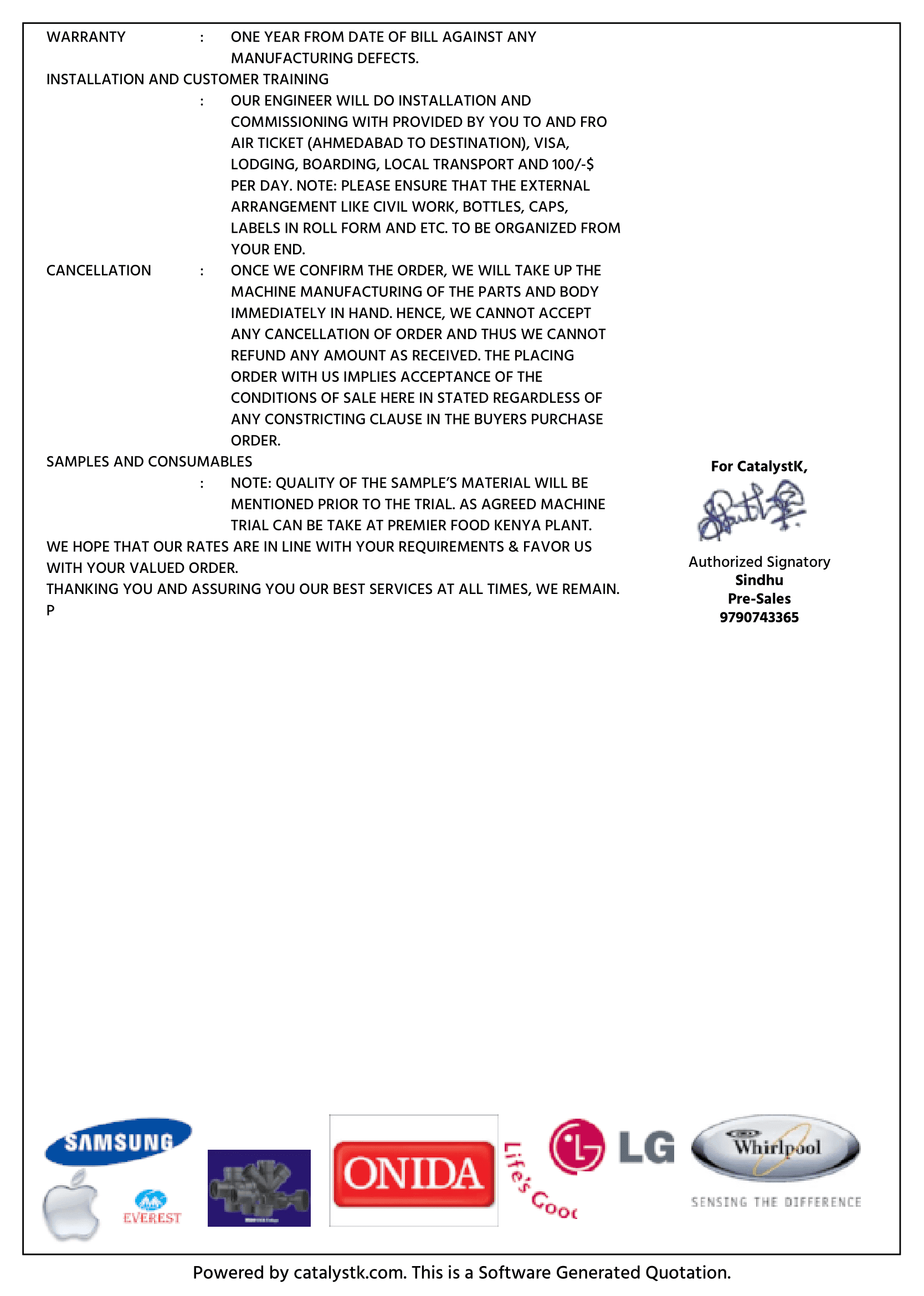
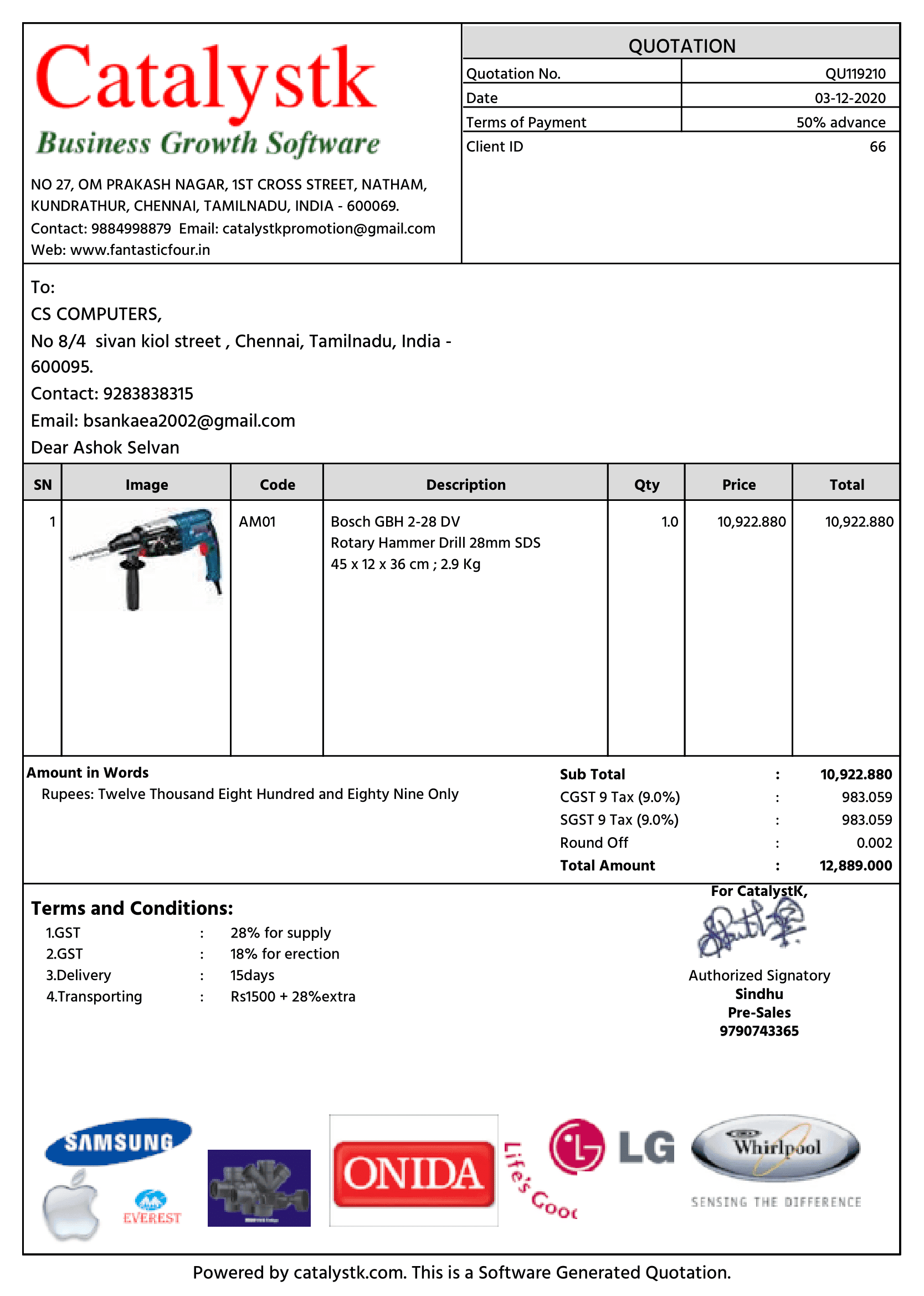
3 of 30+ quotation templates · multiple colour themes
Loading the quotation generator…
How it works
Create a quotation in four steps
No account, no installation and no learning curve — fill the form on the left and watch the document build itself on the right.
1
Add your branding
Click the logo tile to add your logo, pick a document colour and fill in your company address, state and tax number — GSTIN, VAT No., TRN or whatever your country uses.
2
Enter the client
Add the customer's billing address, tax number, state or region and country. The tax treatment follows from the two states automatically.
3
Add products, photos & prices
Enter each item with quantity, rate, discount and tax rate, and click the thumbnail to add a product photo. Any rate works — 5%, 7.5%, 18%, 21% — and totals update as you type.
4
Generate the PDF
Click Generate PDF and choose 'Save as PDF' in the print dialog — then create a free account to store and send it.
Everything included
A quotation maker that handles the details
Discounts, tax splits, freight, round-off and amount-in-words — the parts that usually break a spreadsheet template.
Your logo & letterhead
Click the logo tile (or drag an image onto it) and choose from eight document colours, so the quotation carries your brand from the first line.
A photo for every product
Give each line item its own image — click the thumbnail beside the description and it prints next to that product on the quotation.
Any country's tax
Two-component taxes like CGST + SGST or GST + PST, a single VAT / GST / sales tax under any name, or no tax at all — every label and rate is yours to set.
12 currencies, any region
Quote in Rupees, Dollars, Euro, Pounds, Dirhams and more. State and country are free text, so any state, province, emirate or county fits.
Unlimited line items
Add, duplicate or remove items with a multi-line description under each product name, per-line discounts, units, HSN/SAC codes and individual tax rates.
Live totals & words
Subtotal, discount, taxable value, tax split, freight, round-off and grand total in words — recalculated instantly.
Free, with a free account waiting
Print as many quotations as you like here, then sign up free to keep them against each customer and pick up where you left off.
Who it's for
A quotation format that fits any business
Whether you sell products with HSN codes or services with SAC codes, the same form produces a clean, tax-correct quotation.
Traders & distributors
Quote dozens of SKUs with HSN codes, per-line discounts and tax slabs, and reuse the same layout for every enquiry.
Manufacturers & fabricators
Build item-wise quotations for made-to-order jobs, add freight and packing charges, and print on your letterhead.
Service providers & agencies
Quote services with SAC codes, hourly or monthly units, and clear terms on payment and validity.
Exporters & overseas sellers
Quote in the buyer's currency with VAT, IGST or zero tax, and print the client's own tax number label — VAT No., TRN, ABN or EIN.
Freelancers & consultants
Quote a scope of work in milestones or hours, state your payment schedule in the terms, and keep the layout identical for every client.
Interior designers & architects
Room-by-room quotations with a photo against every material, per-line discounts on furnishing items and a clear supply-versus-labour split.
Construction & civil contractors
Itemise materials, labour and machinery with units such as sq ft, cft, running metre or day rate, then add freight and site charges before the total.
IT & software services
Quote licences, implementation and AMC on separate lines with SAC codes, annual or monthly units, and validity dates that match your proposal.
Event, catering & rental businesses
Quote per head, per day or per unit with advance-payment terms, and reissue a revised quotation the moment the guest count or the date changes.
Printing, signage & fabrication
Quote by size, quantity slab and finish, show the artwork photo beside each item, and keep GST or VAT correct on every slab.
A first
The first free online quotation generator with unlimited quotations and no registration
Every other free quotation tool asks you to create an account, caps how many quotations you can make, or stamps a watermark on the PDF. This one does none of that.
Unlimited quotations
Create one quotation or five hundred. There is no daily cap, no watermark, no trial counter and no paywall after the third document.
No registration, ever
No sign-up form, no email address, no OTP, no credit card. Open the page and start typing — the quotation is yours to print immediately.
No watermark, no catch
Every quotation prints clean, with your branding and nobody else's — and a free Catalystk account keeps them all in one place when you are ready.
Private by design
The generator runs entirely in your browser. Your company details, client details, prices and product photos are never uploaded to Catalystk — the draft is kept in your own browser storage and the PDF is produced by your device.
A quotation generator is about speed — fill the fields and print. A quotation maker is about control — customise the template until the document looks like yours. This page is both, and you decide how far to go.
Comparison of the free quotation generator and the free quotation maker on this page
Quotation, estimate, proforma invoice, price quote — you set the title
Reuse
Print and move on
Come back to your draft, tweak it and reprint
Registration
None
None
Price / limit
Free, unlimited
Free, unlimited
Both modes are the same free tool on this page — unlimited quotations and no registration. Start as a generator, switch to maker mode the moment you want your logo, product photos or your own tax wording on the document.
Quotation, quote, price quote or sales quote — one free generator
Different businesses call the same document by different names. This page is a free quotation generator, a free quote generator, an online quote maker and a price quote creator — the fields, taxes and totals do not change, only the wording on the document. Set the document title to whatever your customers expect and print.
Free online quotation maker & generator with images, PDF & Excel download
Catalystk’s free online quotation generator and free online quotation maker were built for small businesses that need a professional quote out of the door in minutes. The online quotation maker handles quotation creation with images, GST details, pricing and terms, while real-time editing, version control and auto-numbering keep every revision straight — so quotation making online stops being a spreadsheet chore.
This quotation generator free tool works as a simple quotation maker online free without login: open the page, type, print. With a free account the same document becomes a saved record you can revise, approve, email, or download in PDF and Excel, and share over WhatsApp, email or SMS. Whether you searched for an online free quotation maker, a free quotation generator online, an online free quotation generator or a quotation generator online, this is the page — and it is a free quotation generator PDF tool first, so nothing is locked behind a sign-up.
Definitions
Quotation generator, quote generator or quoting tool — what’s the difference?
Buyers search for the same document under three different words. Here is what each one means, and where Catalystk fits.
What is free online quotation generator software or free online quotation maker software?
A free online quotation generator software — also called a free online quotation maker software — is a cloud-based tool that creates, edits and sends professional sales quotations. You fill in buyer and seller details, itemized product listings, pricing, taxes including GST and payment terms, and the quotation maker software formats the document for you. Most free quotation generators offer downloadable formats such as PDF and Excel and let you share the quotation by email, WhatsApp or SMS; better ones add quotation revision, approval tracking and a link to billing, CRM and inventory. Vendors label the same category free quotation generator software or free quotation maker software; what matters is the capability set behind the name. The result is less time spent, fewer pricing errors and a more professional first impression.
What is an online quotation generator?
An online quotation generator is a web-based tool for creating, managing and sending price quotations or estimates digitally. It automates the parts people get wrong by hand — product and service listing, tax calculations such as GST, buyer and seller information, terms and conditions and the total price. A quotation generator online normally supports PDF and Excel export, email or WhatsApp sharing, quotation revisions and approval tracking, which is why small and medium businesses use one instead of a spreadsheet.
What is an online quote generator?
An online quote generator is the same tool under a different name: it builds a professional quote from product details, pricing, taxes and terms in a structured format. Free quote generator, online quote maker, free quote maker and quote generator software all describe this page — only the wording on the document changes.
Is there a free online quoting generator or quoting tool?
Yes — quoting is simply the verb form, and this page is a free online quoting generator and quoting tool: quote unlimited jobs online, print each one as a PDF, and pay nothing. If you want full quoting software that stores every quote against the customer, links it to CRM and billing and reports on win rates, that is Catalystk's free quotation software, which the free account unlocks.
What is the best free online quotation generator?
Catalystk is one of the top-rated choices for a free online quotation generator or quotation maker software for small and medium businesses. It creates GST-compliant quotations you can print as PDF or send by WhatsApp, email or SMS, and it adds quote revision, buyer and seller details, itemized product listings, automated tax calculations, auto-generated quotation numbers and follow-up tracking. Where most free quote generators stop at a basic template, Catalystk comes bundled with free CRM, inventory, billing and sales management — a complete workflow at zero cost.
Looking for full quoting software rather than a one-off document? That is Catalystk’s free quotation software, free forever with CRM, billing and follow-ups included.
Any country's tax
GST, VAT, sales tax — or none at all
The tax model is generic: name the components yourself, set any rate, and let the two states decide which treatment applies.
India — GST
CGST + SGST within the state, IGST for other states and exports, chosen automatically from the two states. Slabs 0, 3, 5, 12, 18 and 28%.
EU, UK & Gulf — VAT
A single VAT line at any rate — 5, 7.5, 15, 19, 20, 21, 23% or your own — with the correct VAT number label on both parties.
Singapore, Australia & NZ — GST
One GST line at 9, 10 or 15%, with the local registration number (UEN, ABN, NZBN) printed on the document.
Canada — GST + PST / HST
Two components in the same province, the single HST line across provinces — the same split logic, different names.
United States — sales tax
A single sales-tax line at any state or county rate, including fractional rates such as 6.25% or 8.875%.
Exempt & zero-rated
Turn tax off entirely for exempt supplies, zero-rated exports or a plain price estimate.
State, province and country are free-text fields, and the tax-number label on both the company and the client is editable — GSTIN, VAT No., TRN, TIN, ABN, NZBN, UEN or EIN — so the document reads correctly wherever you trade.
Compare
Catalystk vs a typical free quotation generator
Most free quotation tools are a trial in disguise — an account before you can download, a cap on documents, or a watermark across the PDF. Here is what differs.
Catalystk free quotation generator compared with a typical free quotation generator
Free online quotation generator
Typical free quotation generator
Sign-up to create and print
Never required
Often required before download
Number of quotations
Unlimited
Commonly capped on the free tier
Watermark on the document
None
Common on free plans
Your logo & document colour
Logo + 8 colour themes
Logo only, or paid
Image for every product
Yes, per line item
Rarely offered
Multi-line item description
Yes, under each product name
Single line
Tax model
GST (CGST/SGST/IGST), VAT, sales tax or none — rename any component
One fixed tax field
Currencies
12, with amount in words
Often a single currency
Terms, bank details & signature
All editable, signature image
Limited or fixed
Price
Free forever
Free tier, then paid
The right-hand column describes what free tiers commonly restrict, not any single product. Every Catalystk claim above can be checked in the generator on this page.
Why not a spreadsheet
Quotation generator vs an Excel or Word quotation format
A downloaded quotation format still leaves the maths, the tax split and the formatting to you. This generator does all three.
Task
Catalystk quotation generator
Excel / Word template
Tax split (CGST + SGST vs IGST, GST + PST…)
Automatic from both states
Manual formulas, easy to get wrong
Amount in words
Generated instantly
Typed by hand
Your logo & document colour
Upload and pick — one click
Re-formatted every time
Line discounts & round-off
Calculated live
Formula per row
Print / save as PDF
One button, clean A4 output
Page-setup fiddling
Getting started
Open the page and type
Find the file, copy it, rename it
30+ quotation templates
30+ quotation templates, in every colour
Choose from 30+ professionally designed quotation templates with various colour options — blue, crimson, emerald, indigo and more. Pick a theme, add your logo and letterhead, and send a quotation that looks like it came from an enterprise sales team. Every template is free.
+ more colours
Quotation with product images
Ocean Blue
Line items shown with product photos, UOM and tax — ideal for retail and distribution.
Online quotation generator
Crimson
Clean multi-item layout with amount-in-words — built for fast online quoting.
Quotation maker
Emerald
Elegant green theme with letterhead branding — perfect for a polished first impression.
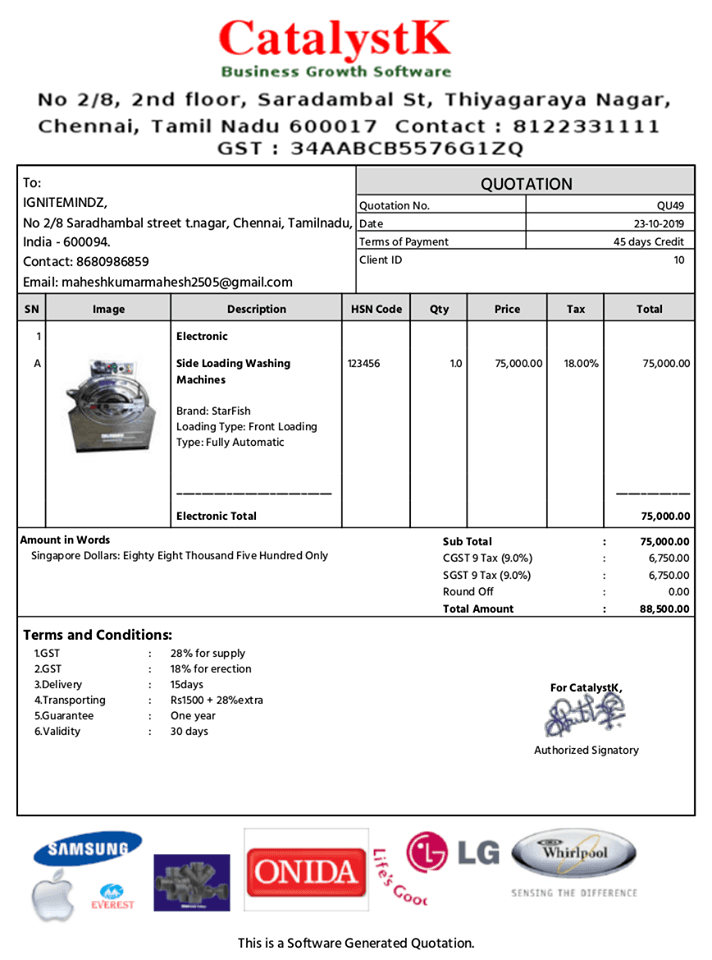
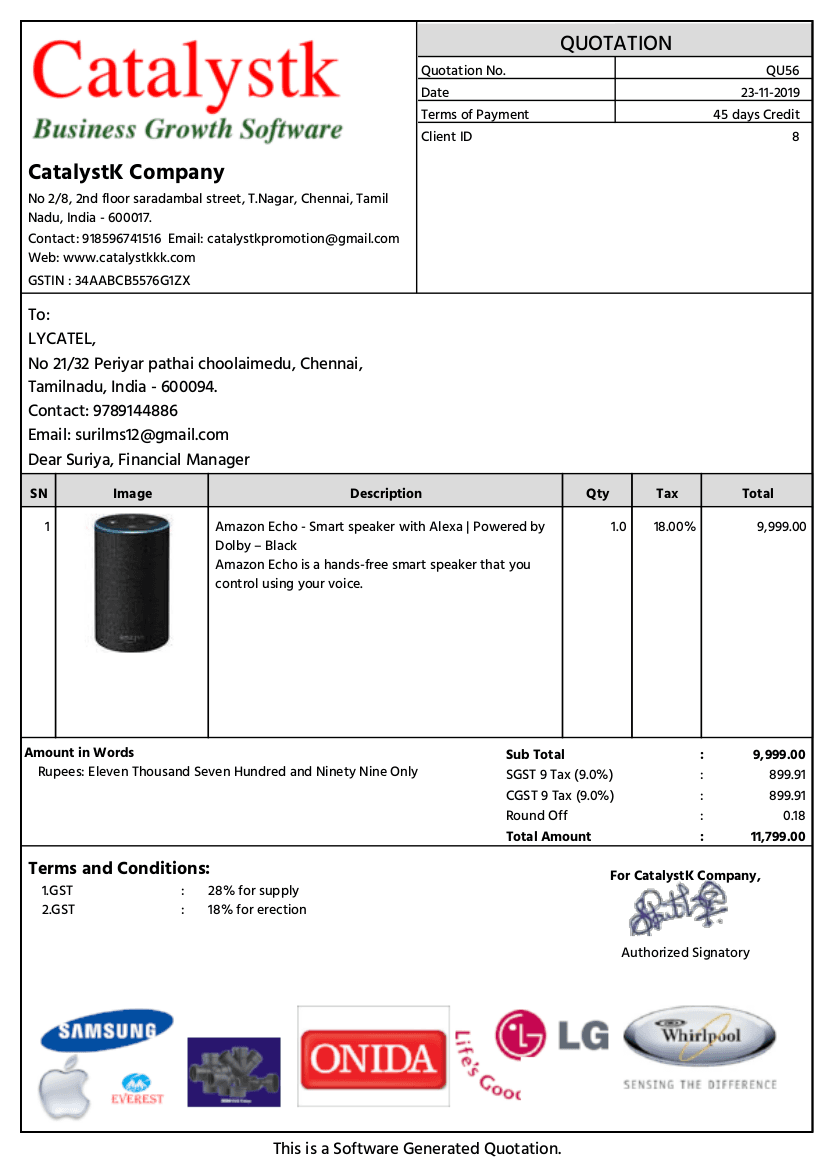
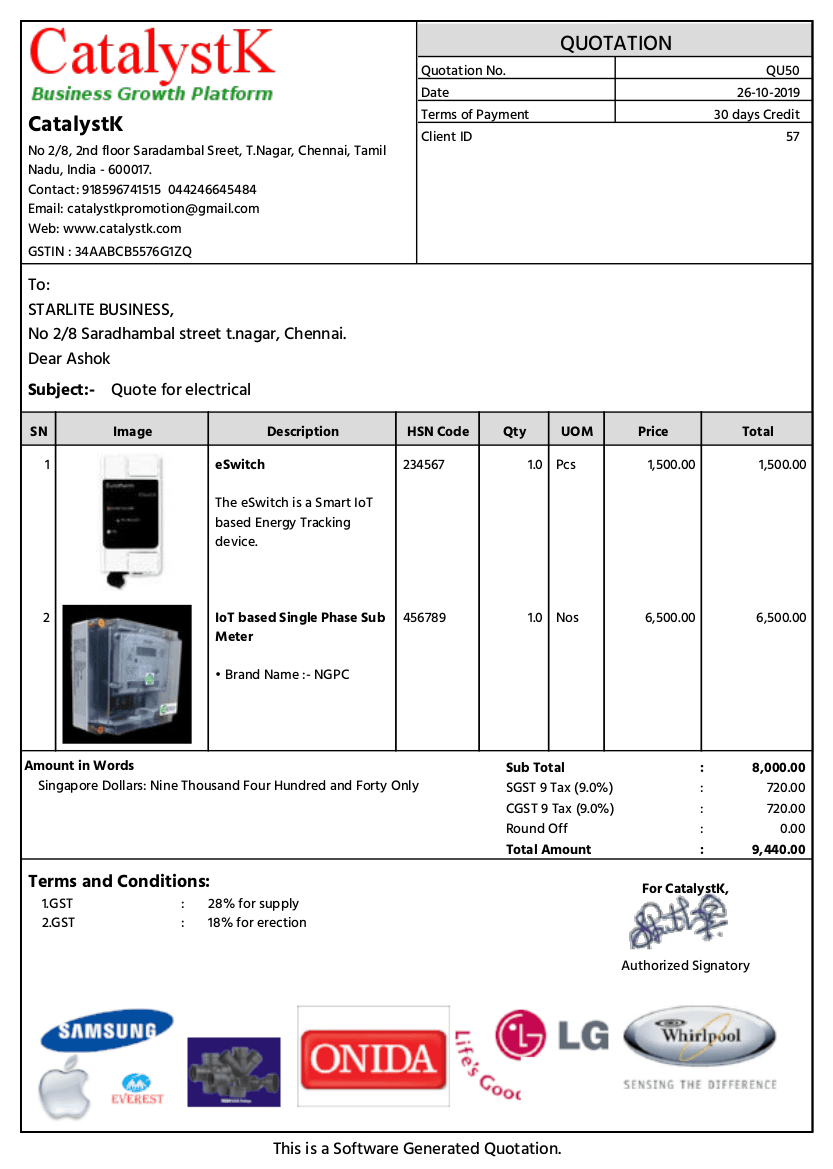
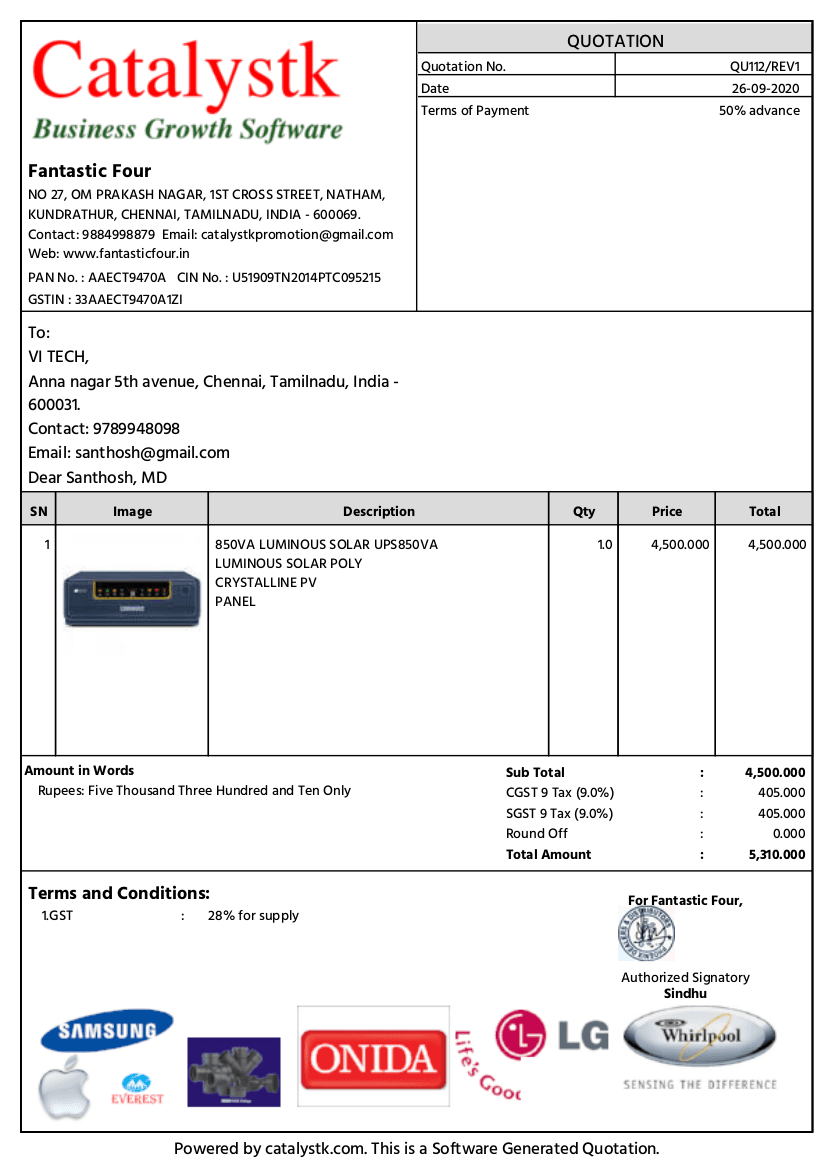
Every document below came out of the Catalystk quotation engine — your logo on the letterhead, a photo against each product, the tax split spelled out and the total in words.
Get it right
What every professional quotation should include
A quotation that is missing any of these ten items is the one that comes back with questions instead of a purchase order.
1
Your business details
Legal name, address, phone, email and your tax number (GSTIN, VAT No., TRN) — the buyer's accounts team needs all of it before they can raise a PO.
2
The customer's details
Company name, billing address, ship-to address if it differs, state or region and their tax number, because the tax treatment follows the two states.
3
A unique quotation number and date
Sequential numbering and the issue date make the quotation traceable, and they matter when a revised quotation replaces an earlier one.
4
A validity date
State how long the price holds — 7, 15 or 30 days is normal. Without it you are quoting an open-ended price in a market where input costs move.
5
Itemised lines
Description, HSN or SAC code, quantity, unit, rate, discount and tax rate per line. A single lump sum invites negotiation on the whole figure.
6
Product images where they help
For furnishing, machinery, printing and distribution, a photo against each line removes the 'is this the model we discussed?' email.
7
A clear tax breakup
Show the taxable value and the tax split (CGST + SGST, IGST, VAT or sales tax) instead of one tax-inclusive total, so the buyer can verify input credit.
8
Charges beyond the goods
Freight, packing, installation and round-off belong on the document. Adding them at invoice stage is the fastest way to lose a repeat customer.
9
Total in words
Standard practice on Indian and Gulf documents, and a simple protection against a mis-keyed figure.
10
Terms and conditions
Payment terms, delivery timeline, warranty, taxes-extra clause and your bank details. This is the part that decides what happens when something slips.
Which document
Quotation vs estimate vs proforma invoice vs invoice
Four documents, four moments in the same sale. Sending the wrong one is the most common paperwork mistake in a small business.
Quotation, estimate, proforma invoice and invoice compared by timing, commitment, tax and next step
Document
When it is sent
What it commits to
Tax status
What comes next
Quotation
Before the order — the buyer asked what it will cost.
An offer at a stated price, valid until the date you set.
Tax shown for information; nothing is due yet.
Becomes a sales order or proforma invoice on acceptance.
Estimate
Before the order, when scope or quantity is still approximate.
An indication, not a firm commitment on price.
Usually indicative; the final figure moves with scope.
Firmed into a quotation once the scope is agreed.
Proforma invoice
After agreement, before payment or dispatch.
A commitment to supply at that price, used for advances, imports and LCs.
Full tax breakup shown, but it is not a tax invoice.
Replaced by the tax invoice when goods are delivered.
Invoice
At or after supply.
A demand for payment and the accounting document of record.
The GST or VAT document the buyer claims credit on.
Settled by payment; sits in your ledger.
The generator above prints any of them — set the document title to Quotation, Estimate, Proforma Invoice or Price Quote and the fields, taxes and totals stay the same.
Avoid these
Quotation mistakes that cost you the deal
Most quotations are not lost on price. They are lost on the seven things below.
No validity date
A quotation with no expiry gives the buyer no reason to decide this week, and leaves you honouring last quarter's prices.
One lump-sum line
'Supply and installation — ₹4,80,000' invites a discount request on the whole number. Itemised lines move the conversation to individual items.
Wrong tax treatment
CGST + SGST billed on an inter-state supply (or IGST within the state) means the buyer cannot claim credit cleanly and asks for a revised quotation.
Missing HSN or SAC codes
Corporate and government buyers reject quotations without them, because their purchase system cannot raise the PO.
Silence on freight, packing and installation
Charges introduced later read as a price increase, even when they were always going to apply.
No follow-up
Most quotations are lost to silence, not to a competitor. Log the follow-up date the day you send the quotation.
Untracked revisions
Three versions of the same quotation in an email thread and nobody knows which price stands. Number your revisions.
Terms & validity
Validity, terms and the legal side of a quotation
A quotation is a commercial offer. These six points decide what you are on the hook for once the customer accepts it.
A quotation is an offer, not a contract
It becomes binding when the customer accepts it in writing or issues a purchase order against it — which is why the validity date and the terms matter.
Price validity and escalation
State the period the price holds and, for long-lead items, say what happens if raw-material or currency movement exceeds a threshold.
Taxes extra or inclusive
Say which, in words, on the document. 'Taxes extra as applicable' and a shown breakup avoid the most common billing dispute.
Delivery and penalties
Give a delivery window measured from a defined trigger — confirmed order or advance received — rather than a bare date.
Payment terms and advance
Advance percentage, balance trigger and the account details you expect payment into. Ambiguity here delays money, not paperwork.
Acceptance and signature
Leave a place for the customer's confirmation, and keep the accepted copy — it is the document you will rely on if the order is disputed.
General commercial guidance for quoting practice, not legal advice — check local law and your own contracts for anything contentious.
India · GST
GST quotation generator for GST-registered businesses
Quote with GSTIN on both parties, HSN or SAC on every line, and the split the two states demand — CGST + SGST within the state, IGST across it.
What is a GST quotation?
A GST quotation is a price offer that already carries everything the buyer’s accounts team needs to raise a purchase order under GST: your GSTIN and theirs, the place of supply implied by both states, an HSN code for goods or a SAC code for services on every line, the taxable value, and the tax shown as CGST + SGST or as IGST rather than folded into one figure. It is not a tax invoice and no GST is payable on it — but getting the treatment right at quotation stage is what stops the invoice being rejected later.
Common GST rates quoted by Indian businesses
GST rate
Commonly quoted on
0% / exempt
Fresh produce, unbranded staples, most educational and healthcare services.
5%
Packaged staples, small restaurants, transport of goods, many job-work services.
12%
Processed foods, some machinery parts, works-contract items and business-class travel.
18%
The default for most goods and services — IT, consulting, industrial goods, printing.
28%
Luxury and sin goods — large appliances, automobiles, aerated drinks.
Rates and classifications change — confirm the current slab for your HSN or SAC before you quote. The generator accepts any rate you type, including fractional rates.
When the quotation is accepted, a free Catalystk account converts it into a GST invoice with the same tax treatment — see free GST billing software.
Terms & conditions
Quotation terms and conditions, printed the way you write them
Payment terms, validity, delivery, warranty and bank details sit under the totals on every quotation — edit them once here, or save them to your account and reuse them on every quote.
Free account
What the free Catalystk account adds to the quotation generator
The generator above prints a one-off quotation with no login. A free Catalystk account turns it into a full quoting workflow — and every module below is included at zero cost.
Quotation management
Quotation with images, or a quotation without image
Quotation grouping products into sections
Revised quotation with full version control and real-time editing
Auto-numbering — auto-generated quotation numbers
Quotation approval tracking and buyer and seller details
Price lists and reusable templates for consistent quotes
Multi-currency quotes with a live conversion rate
Sharing & follow-up
Email quotation and SMS quotation, email-ready and shareable
WhatsApp, email and SMS sharing from the record
Quotation follow-ups and missed quotation follow-ups
Sales workflow automation with follow-up tracking
Automated email notifications for orders and invoices
Sales documents
Invoice and proforma invoice generation in one click
How to use the free online quotation generator in your account (step-by-step guide)
Use the Catalystk free online quotation generator software to create sales quotes for free, anywhere, anytime.
1
Open Sales → Quotation
In your free Catalystk account, click the side-menu option 'Sales' and then the 'Quotation' tab.
2
Create the quotation
Click New quotation, enter the estimated price details, inventory items or service products, and click Save to generate the quotation.
3
Print, download or mail it
Open any existing quotation and use Print, Download or Mail to print it, download it as PDF or Excel, or send it to the customer.
Free online quote generator vs free online quote maker
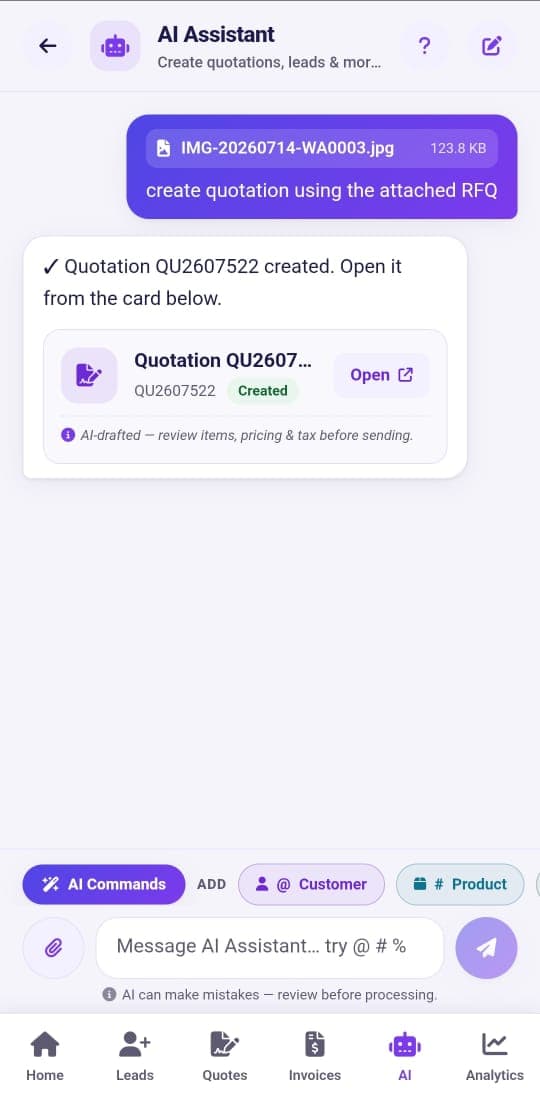
“Quote generator” and “quote maker” are two names for the same job, and with a free account Catalystk is both: generate a quote automatically from an RFQ, or make one by hand.
Free online quote generator compared with the free online quote maker
Free online quote generatorauto · AI
Free online quote makerdesign · manual
AI creates the quote from an RFQ (~10s)
—
Build & customise line-by-line
Branded design, product images & letterhead
Price lists & reusable templates
Multi-currency quotes
Download PDF / email to customer
Convert quote to GST invoice
Fastest quote in ~10 seconds
—
Price
100% Free
100% Free
Next step
Keep your quotations — and turn them into orders
This page is for a one-off quotation. A free Catalystk account keeps every quotation against the customer and carries it all the way to a paid GST invoice.
Yes. Click Generate PDF and choose 'Save as PDF' as the destination in the print dialog — on most phones that is already the default. You get an A4 PDF with 12 mm margins containing only your quotation: no watermark, no website navigation and no buttons.
Is this free quotation generator really free?
Yes. The free quotation generator on this page costs nothing, has no quotation limit and needs no registration. You can create and print unlimited quotations without an account. Catalystk's full quotation software is also free forever.
Do I need to register or sign up to make a quotation?
No. This is the first free online quotation generator that allows unlimited quotation generation without any registration — no sign-up, no login, no email address and no credit card. Open the page, fill the form and print. An account is only needed later if you want to save quotations, send them and convert them into invoices.
What is the difference between a free quotation generator and a free quotation maker?
A quotation generator is built for speed: fill in the client, the items and the rates, and print in seconds. A quotation maker is built for customisation: your logo, document colour, document title, product images, your own tax names and your own terms. This page is both — start in generator mode and customise as much or as little as you want.
Can I add a photo for each product in the quotation?
Yes. Each line item has its own image picker — click the thumbnail next to the description and choose a photo, and it appears beside that item on the printed quotation.
Is this also a free quote generator and quote maker?
Yes. Quotation, quote, price quote, sales quote and business quote all describe the same document, and this one page covers them: it works as a free quote generator, an online quote maker and a price quote creator. Change the document title to Quote, Price Quote or Estimate and the rest of the document, taxes and totals stay exactly the same.
Can I make a sales quote or a price quote for a business customer?
Yes. Add your company and the customer, list the products or services with rates, discounts and tax, and print. Sales quotes, price quotes and business quotes are produced the same way — with your logo, product images and your own terms on the document.
Should I create a free Catalystk account?
It is worth it the moment you send more than one quotation. A free account keeps every quotation against the customer, lets you revise and resend it, turns an RFQ into a ready quotation in about 10 seconds with AI, and converts an approved quotation into a proforma invoice, sales order or GST invoice in one click. It is free forever, with no credit card.
How do I save the quotation as a PDF?
Click Generate PDF. In the print dialog, choose 'Save as PDF' (or 'Microsoft Print to PDF' on Windows) as the destination and save the file to your computer. The printed document contains only the quotation — no website menus or buttons.
Does it calculate GST with CGST, SGST and IGST?
Yes. Type your state and your client's state and the generator applies CGST + SGST for a sale within the same state, or IGST for an inter-state sale or export. You can also override the treatment manually or turn tax off completely.
Can I use VAT, sales tax or another country's tax instead of GST?
Yes. The tax model is generic. Choose a single tax and name it VAT, GST, Sales Tax, TVA, IVA or anything else, or choose a two-component tax and name the components yourself — CGST + SGST for India, GST + PST for Canada, or any local pair. Rates are free numbers, so 5%, 7.5%, 18%, 21% or 8.875% all work.
My state or province isn't in the list — can I still use it?
Yes. The state and country fields on both the company and client sections are plain text boxes. Indian states appear as autocomplete suggestions, but you can type any state, province, emirate, county or region in the world.
Can I change GSTIN to VAT number or another tax ID?
Yes. Both the company and the client have an editable tax-number label — GSTIN, GST No., VAT No., TRN, TIN, ABN, NZBN, UEN, EIN or your own wording — and it is printed exactly as you set it.
Can I add my company logo to the quotation?
Yes. Click the logo tile in the company section — or drag an image onto it — and pick a PNG, JPG, WebP or SVG file. It is printed on the quotation letterhead straight away.
What is the difference between this generator and Catalystk quotation software?
This page creates a one-off printable quotation. A free Catalystk account additionally saves every quotation against the customer, builds quotations from an RFQ using AI in about 10 seconds, sends them by email, SMS or WhatsApp, and converts an approved quotation into a proforma invoice, sales order or GST invoice in one click.
Can I use it for an estimate or proforma invoice?
Yes. Change the document title field to Estimate, Proforma Invoice, Price Quote or anything else — the rest of the document, taxes and totals work exactly the same.
Is my data sent to your servers?
No. This quotation generator runs entirely in your browser: your company and client details, prices, line items and product photos are processed on your device and are never uploaded to Catalystk. The PDF is produced by your own browser's print engine, so the quotation you make here is never stored on our servers.
Do you store the quotations I create on this page?
Only in your own browser. The draft is kept in your browser's local storage so the work is still there if you come back or reload, and clearing your browser data removes it. If you want quotations stored, searchable and attached to a customer, that is what the free Catalystk account is for.
Is the online quote generator free to use?
Yes. This free online quotation generator lets you create, download and share quotations at no cost, with no quotation limit and no login — which is what makes it practical for a small business that quotes every day.
Can I download quotes in PDF or Excel format?
The generator on this page prints a clean A4 PDF, and it prints it without an account. Excel download comes with the free Catalystk account, which also supports Excel upload and download for bulk price lists — and if you would rather start from a spreadsheet, use the free price quotation format in Excel.
How does an online quotation maker help businesses?
An online quotation maker speeds up the sales process: quotes are created in minutes rather than hours, customised for each customer without re-formatting, and shared instantly — so you reply to an enquiry while the buyer is still comparing options.
Can I share quotations via WhatsApp, email or SMS?
From your free account, yes. Send a quotation over WhatsApp, email or SMS straight from the record, with the PDF attached, and the follow-up is logged against the customer. The browser tool on this page prints the PDF, which you can then attach anywhere yourself.
Can I create unlimited quotations using the free quotation software?
Yes. There is no cap here and no cap in the free account: generate as many quotes as you need for different customers, revise them as often as the negotiation demands, and keep the full quotation history for reference.
Is the free quotation maker online software suitable for GST businesses in India?
Yes. It produces GST-compliant quotations with HSN/SAC codes, CGST + SGST or IGST decided by the two states, an editable GSTIN label and a full tax breakup — and it carries into free GST billing software when the quotation becomes an invoice.
Is there a free quotation generator app?
Yes. The Catalystk Android app is a free quotation generator app for your phone: create, print and send quotations on the move, and everything stays in sync with the web account.
What is the best free quotation maker online for small businesses?
Judge it on what happens after the quote: revisions, follow-ups, product grouping, GST calculations, and whether the quotation becomes an invoice without re-typing. Catalystk covers all of those on a free plan, which is why it is rated among the best free quotation maker online options for small businesses.
How do I start using the Catalystk free quotation generator?
Use the generator on this page immediately — no registration. To keep the quotation, click Save online and create a free account; you land in Sales → Quotation with your draft ready to save, send and convert.
Can the generator create a quote from an RFQ?
In the free account, yes. Upload an RFQ as a PDF, Excel or image and the AI quote generator returns a branded, ready-to-send quotation in about 10 seconds — that is the difference between the automatic quote generator and making a quote by hand.
Is this a quoting tool or quoting software?
This page is a free quoting tool: one document at a time, online, no login. Quoting software adds the record-keeping — saved quotes, revisions, approval tracking, follow-ups and reports — and Catalystk's is free too.
Catalystk is in beta. By using this generator you agree to our terms of use.